
Feature
AI receptionist post-call summary
A short summary of every call, sent to you the moment it ends.
A post-call summary is a short account of a call. Your AI receptionist writes it as soon as the call ends and sends it to you. Who called, what they needed, what was agreed. It reaches you by the delivery route you chose, and sits with the transcript in the portal.
How the post-call summary works
The call ends
The receptionist writes the summary from the transcript and the details it collected.
The summary is sent to you
By email, through Zapier, or to a webhook, whichever routes you set up in Integrations.
The summary stays in the portal
Every summary sits with its call in Messages, so you can go back to it.
In the portal
Messages, delivered through Integrations
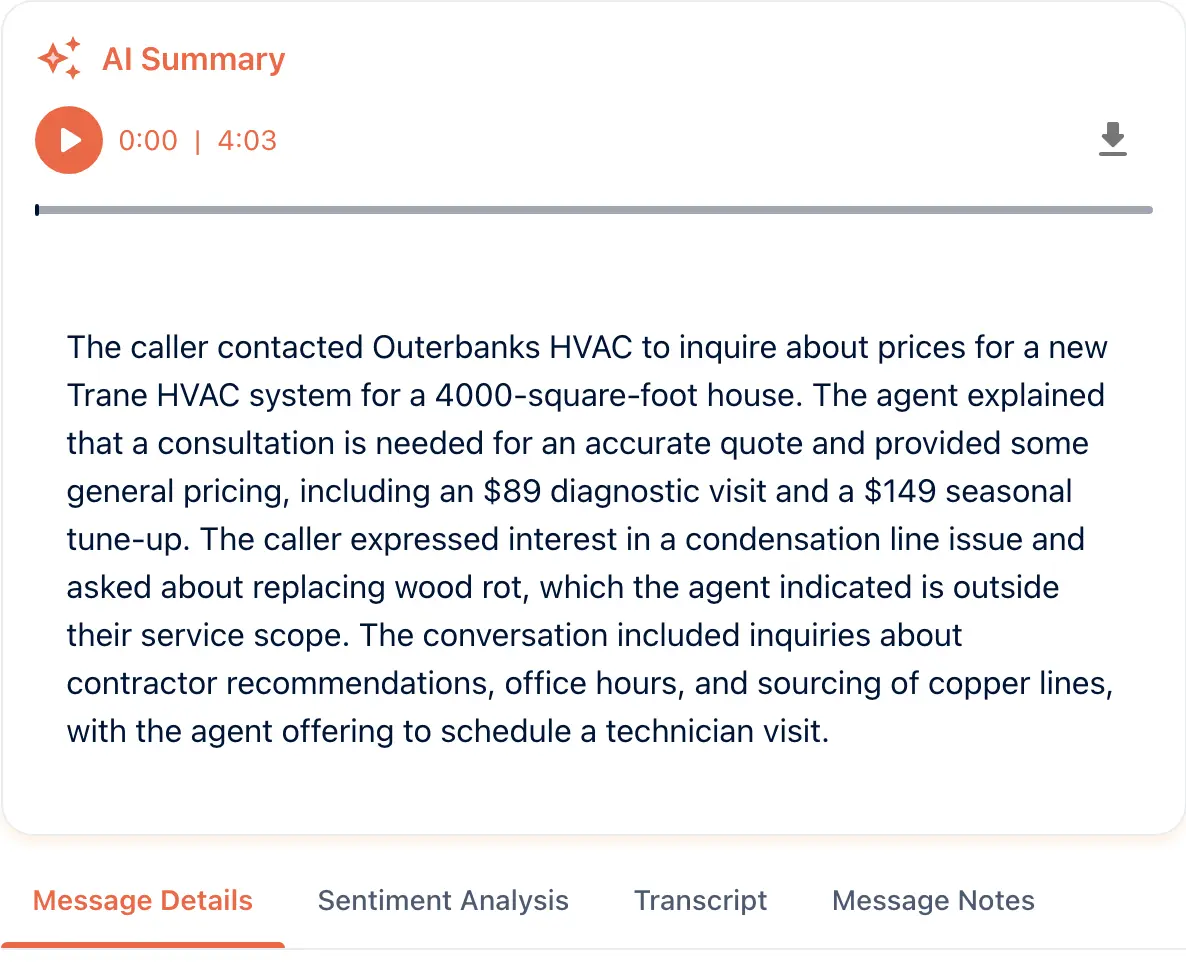
Open a call in Messages and the AI Summary sits at the top, over the recording. This one is a caller asking the price of a new Trane system. The transcript it was written from is a tab away. Integrations lists where the summary is sent.
From the setup walkthrough
Voice selection comes first, then the Processing tab. Call summary, sentiment and highlights, detect unanswered questions and extract structured data each have a switch. An SMS summary is there too, gated on caller consent.
A recording of the portal made on 11 September 2026, 16:22 to 17:05 of the full walkthrough. See every step of the setup.
AI call summaries for owners between jobs
The owner between jobs
Thirty seconds of reading, and you know what to do next.
The team that shares an inbox
One email per call, with the details in the same place every time.
Goes with
Status read from the same capability matrix as the pricing page.
- Sends email as a post-call action, such as a summary to your inbox.
- Available · All plans
- Post-call sync
- After a call ends, the summary and details are pushed to the tools you use.
- Available · All plans
- Transcript in the portal
- The written record of every call, kept in the portal to read, search and download.
- Available · All plans
Defined in the glossary
Questions
- What is in a summary?
- Who called, what they needed, and what was agreed, plus the details your workflow collects.
- How fast does it arrive?
- It is written and sent when the call ends.
- Can I get it somewhere other than email?
- Yes. Through Zapier to your CRM or chat tool, or to a webhook URL your own system listens on.
- Do I have to turn the summary on?
- Yes. Call summary is a processing switch on the workflow. Sentiment and highlights, detect unanswered questions and extract structured data sit beside it.
- Can the summary go out by text?
- The processing options include an SMS summary. It needs the caller’s consent, so turn it on only when you have that.
See AI in action for your business
Start a free trial and set it up in the portal today, or talk to the team first.