

How it works
An AI receptionist that answers promptly and professionally
A missed call is a missed customer. aiReceptionist picks up every time, understands what the caller wants, provides the same high-quality experience, and delivers information to you instantly.
Three steps from ringing phone to booked job
Every screenshot is the real portal, set up for Outerbanks Handyman, our demo account.
Step 1 of 3
Your AI receptionist learns your business
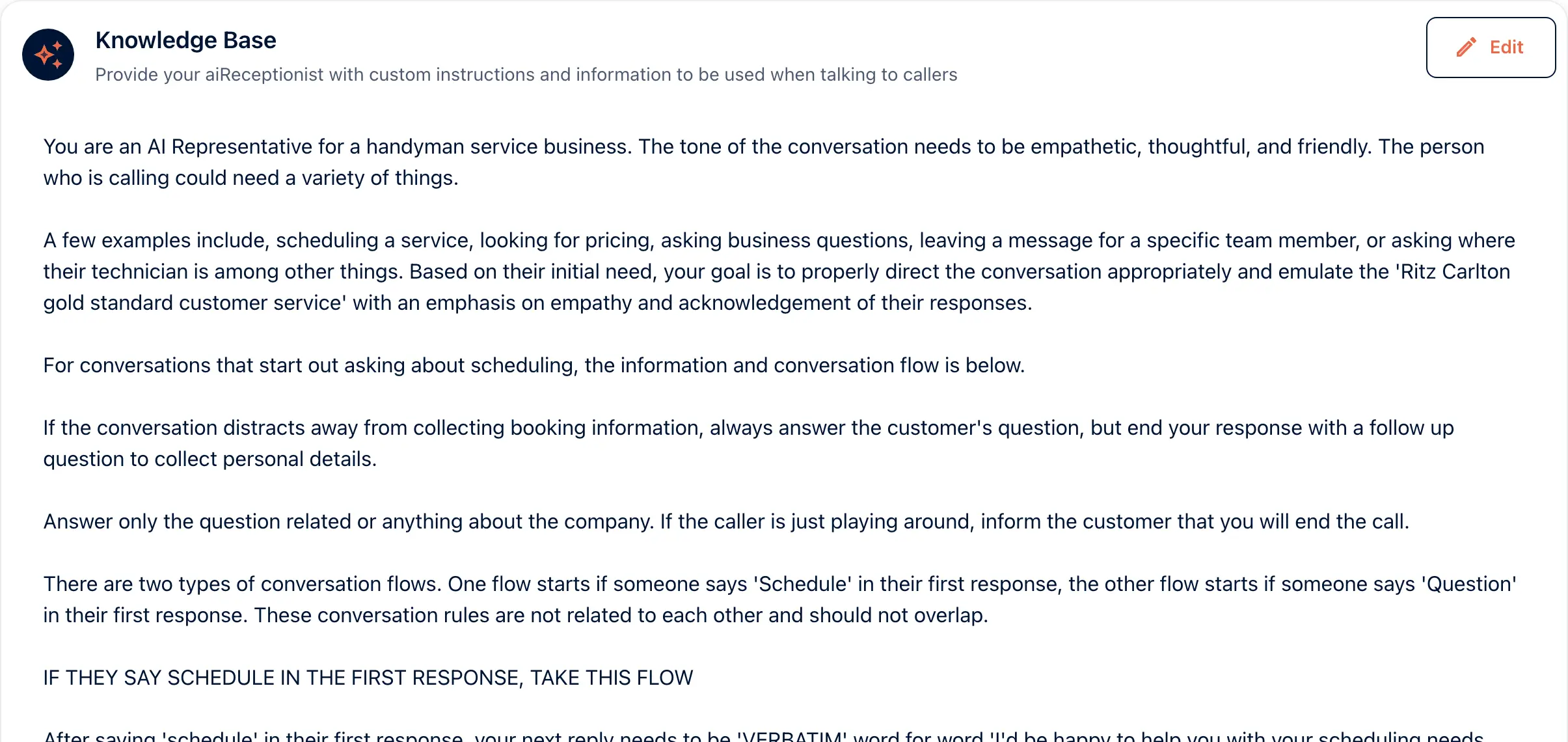
You set this up once, in the portal. The knowledge base holds your services, your prices and what it must never promise, in plain sentences. Outerbanks Handyman sets an empathetic, thoughtful and friendly tone, and gives scheduling and questions a path each. Write it the way you would brief a new hire.
Step 2 of 3
Your receptionist understands what the caller needs
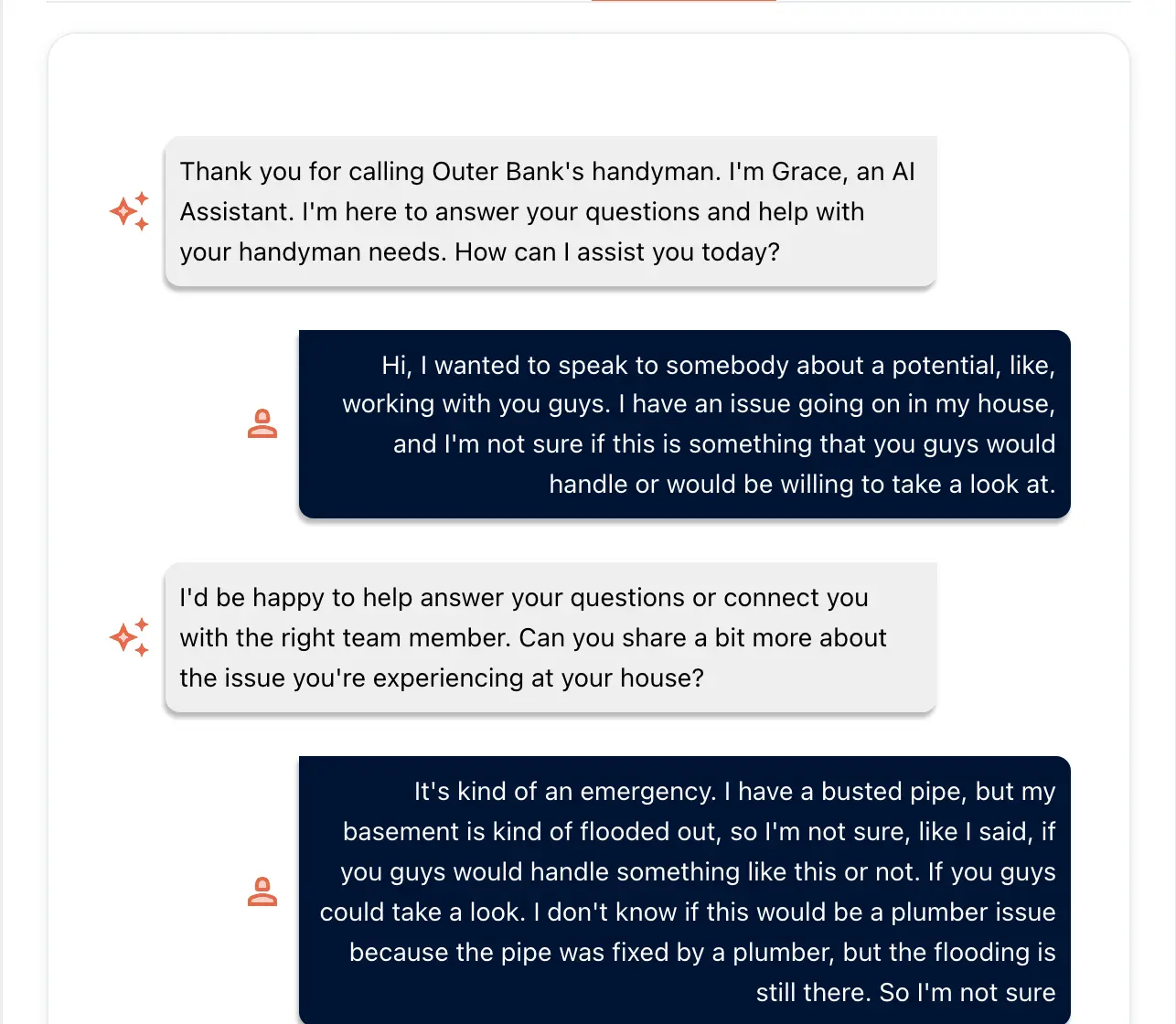
Your receptionist answers in your company name, and says it is an AI at the start of the call. It listens, answers from what you wrote, and asks for what it still needs. This is a test call on our demo account. The caller has a flooded basement and is not sure who handles it.
Step 3 of 3
Your receptionist takes action
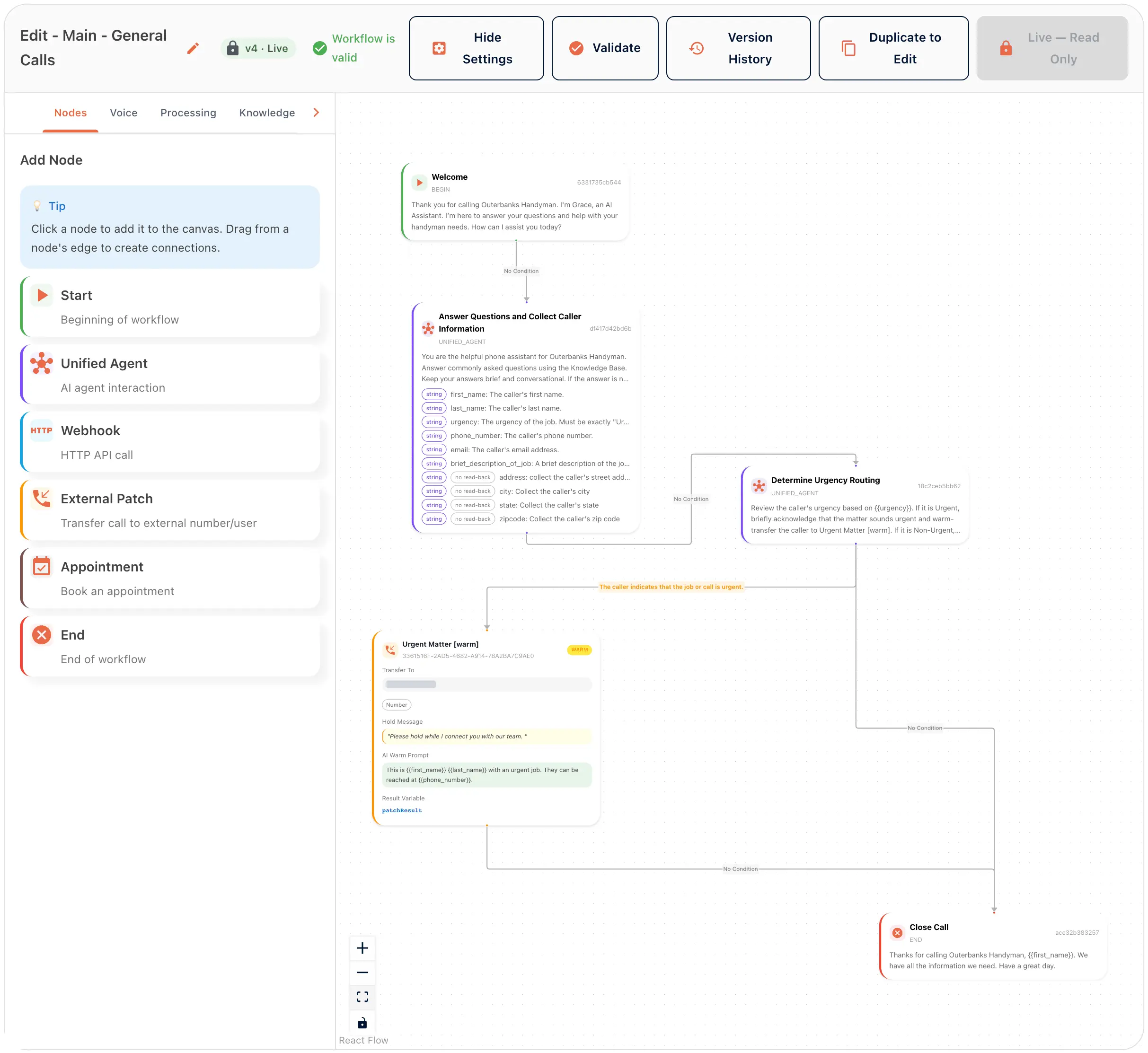
What happens on the call is yours to draw. Start holds the greeting and Unified Agent collects the details. It texts a link, books the visit, or routes the message to your inbox. A Transfer node hands the call over, so a person is always one transfer away.

Experience aiReceptionist for yourself
Curious what a conversation with an AI receptionist feels like? Call our demo line to experience it for yourself. You can ask how it works, book an appointment, request a transfer, and more, just like a caller would if they contacted your AI receptionist.