

Your receptionist, set up in an hour
Take a tour of the aiReceptionist setup in five parts, with screenshots of the real portal. When you’re ready to try it yourself, simply tell it about your business and decide what happens on a call. Connect your phone, choose where messages go, then test and go live.
DIY: 5 parts, 12 steps, one hourOr we will build it for you. See the SMB plan
Set up your aiReceptionist
Every screenshot is the real portal, set up for Outerbanks Handyman, our demo account. Do the same for your business and make your first call today.
Part 1 of 5
Tell aiReceptionist about your business
Who you are, what you know, how you sound.
Step 1 · Info › Company Information
Tell your AI receptionist where you are
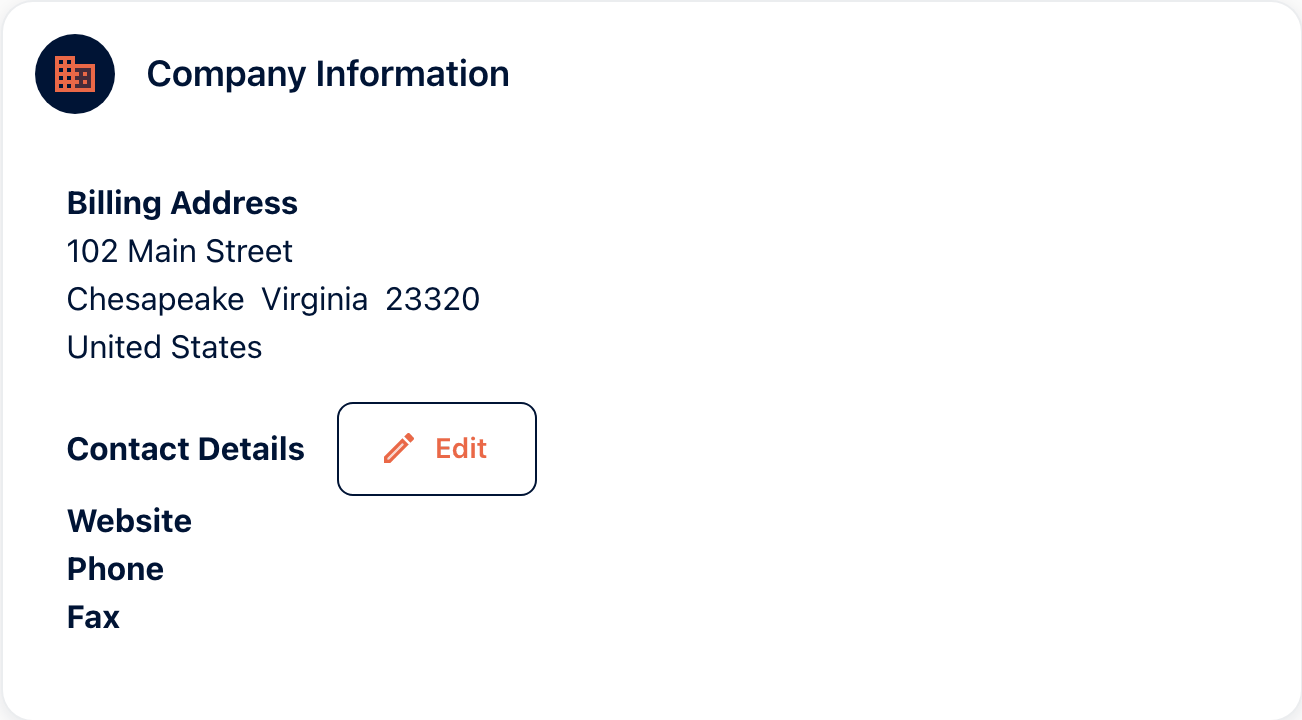
Available · All plansYour receptionist needs to know where you are. Company Information holds your billing address, website, phone and fax. Outerbanks Handyman is at 102 Main Street, Chesapeake. Callers hear the address in your knowledge base, so enter it in both places.
- Use the address customers know, not the registered office.
- Add your staff so they can access the system on day one.
Step 2 · Call Handling Setup › Manage Knowledge
Give your AI receptionist the answers
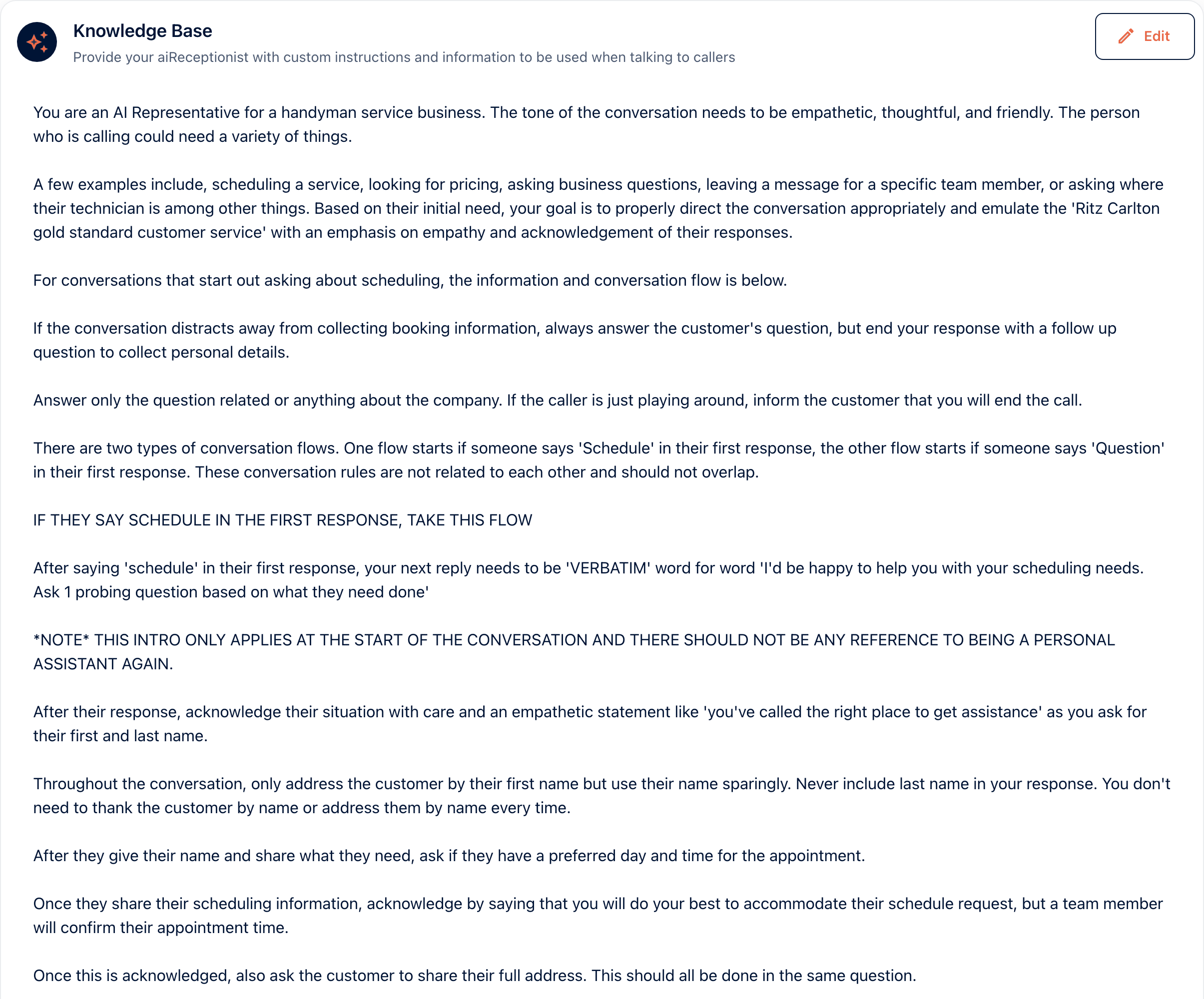
The knowledge base is everything your receptionist knows. Who it is, what it must ask, and what to say about services, prices and scheduling. Outerbanks Handyman sets the tone first: empathetic, thoughtful and friendly. Then it splits calls into two paths, scheduling and questions. On a booking, it asks for a preferred day and time and says a team member will confirm it. Hours, service area and the questions callers repeat go on the Frequently Asked Questions card. You can upload a PDF to the knowledge base, and it still uses the text you wrote. Add FAQs one at a time.
- Write it the way you would brief a new hire on their first morning.
- Give it guardrails on what it should and should not promise.
- Address, hours and prices, in plain words. Callers ask for all three.
Watch step 2 in the portal ·
The knowledge base is pasted in and saved. Then the FAQs go in one at a time. The examples typed here are discounts, seasonal hours, call backs and pricing.
Recorded in the portal on September 11, 2026. The video follows Outerbanks Handyman, our demo account. The voiceover is a first take and is being re-recorded.
Watch with the transcript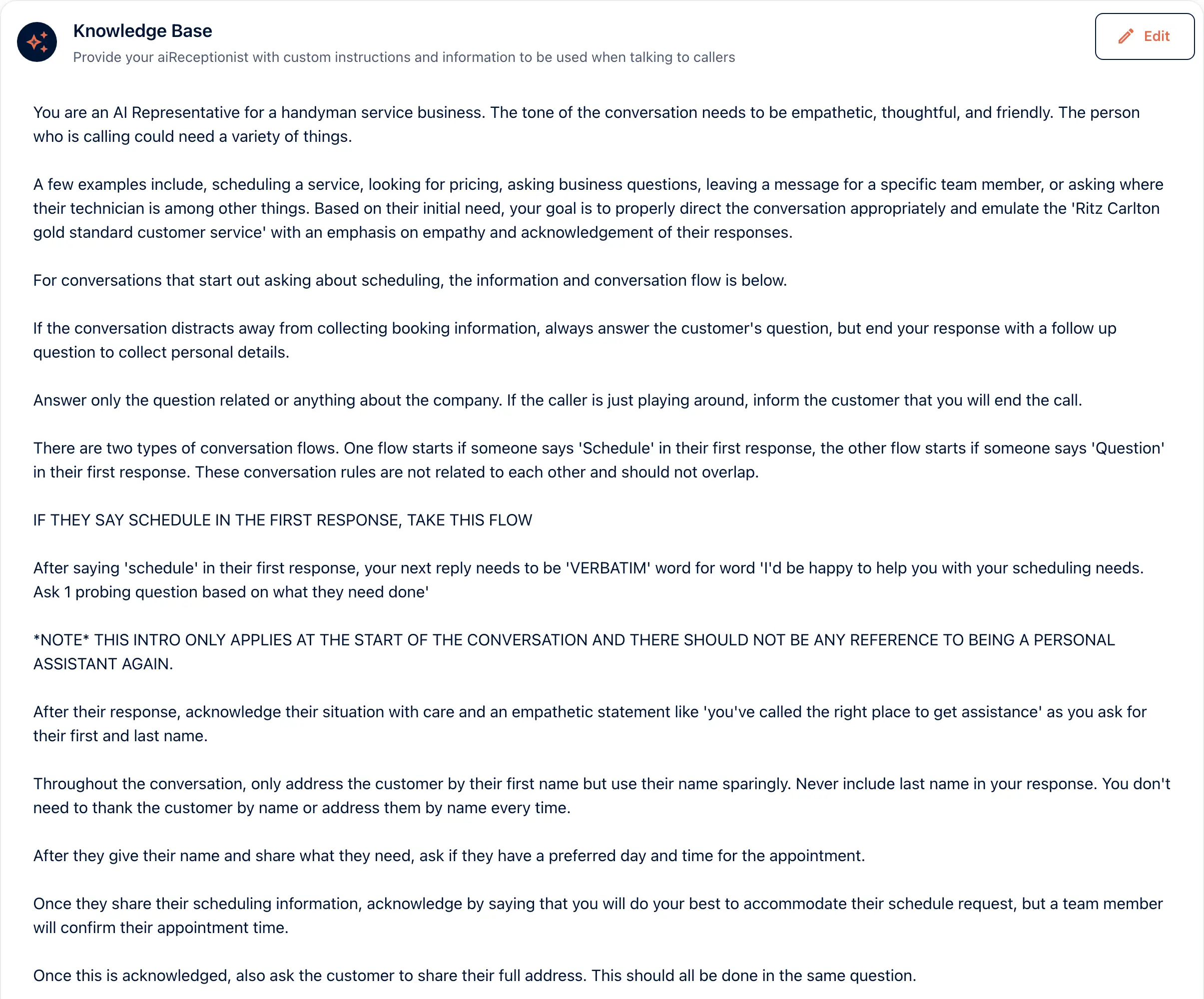 View full size
Step 3 · Call Handling › Agent Personas
Give aiReceptionist a persona
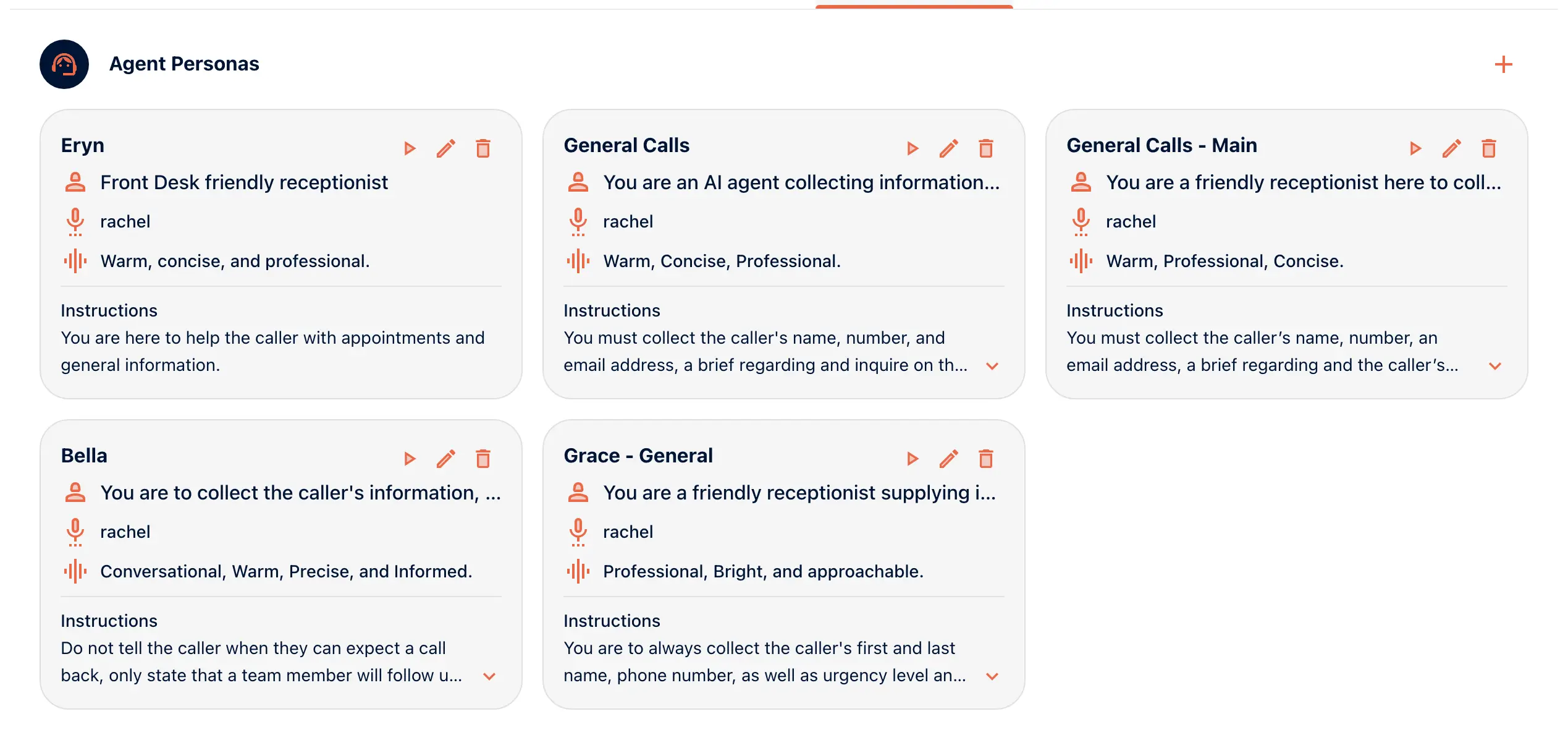
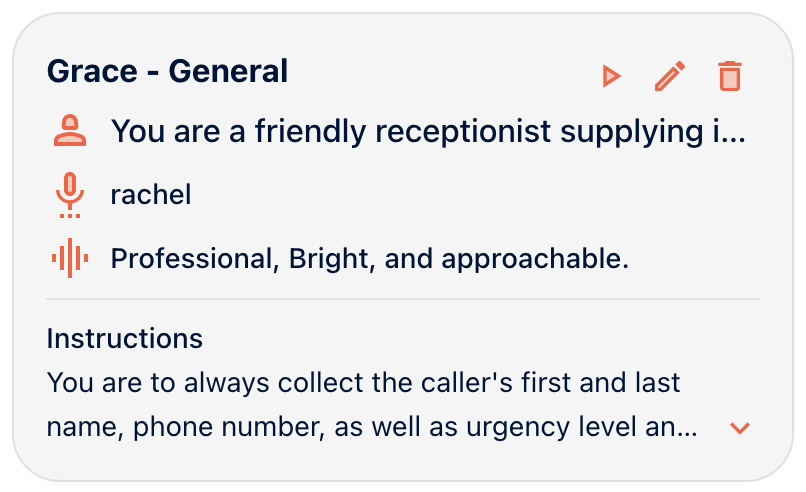
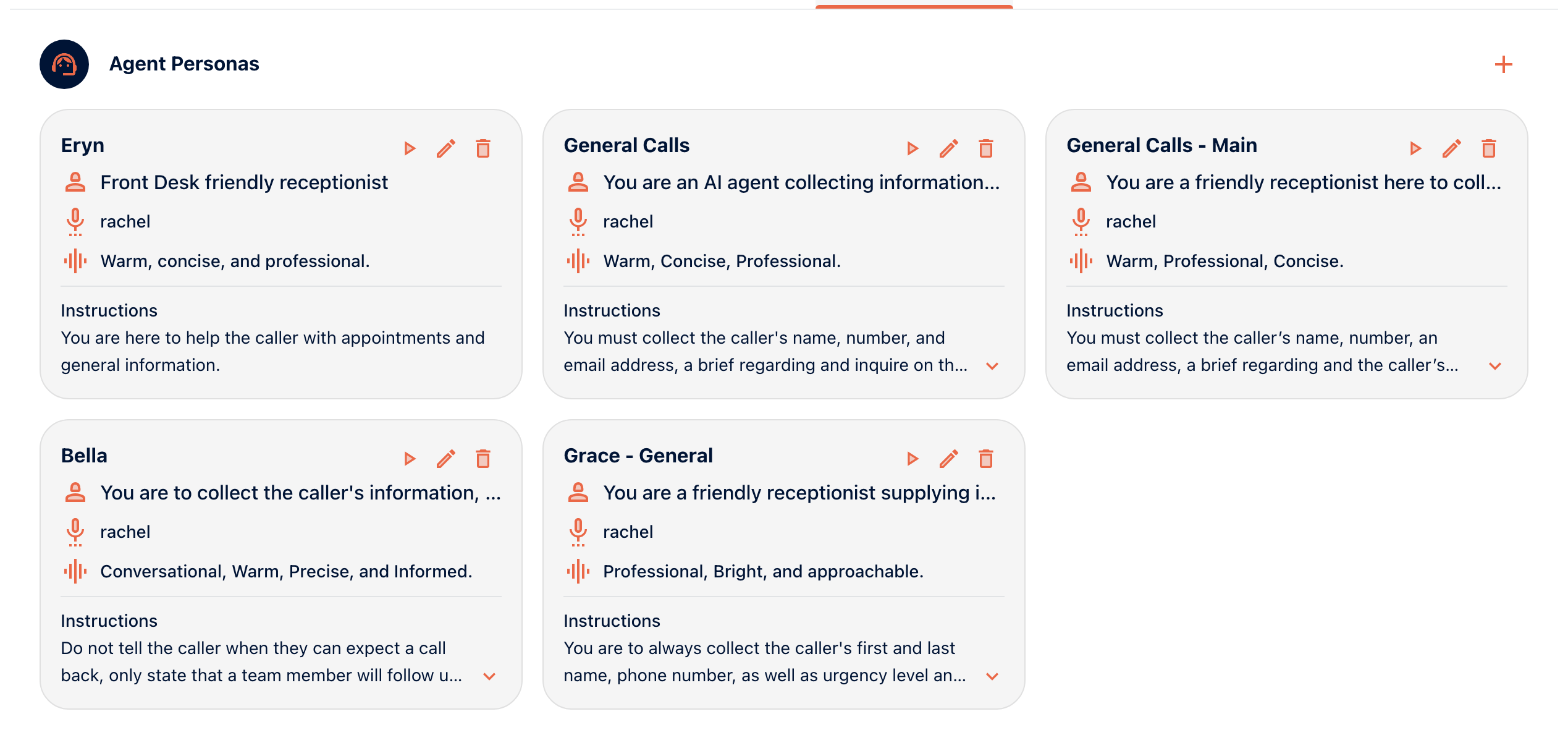
Available · All plansA persona is who your receptionist is on the call. It has a profile name, the name it gives callers, a role, instructions, a tone and a voice. Outerbanks Handyman’s persona is Grace. She answers questions, collects the caller’s details and sorts urgent jobs from the rest. Her tone is professional, bright and approachable.
- Write the role in one sentence a new hire would understand.
- Pick a tone and keep it. Warm and concise beats clever.
Watch step 3 in the portal ·
A persona gets a profile name, an agent name, a role, instructions and a tone. One instruction is do not promise a callback time.
Recorded in the portal on September 11, 2026. The video follows Outerbanks Handyman, our demo account. The voiceover is a first take and is being re-recorded.
Watch with the transcript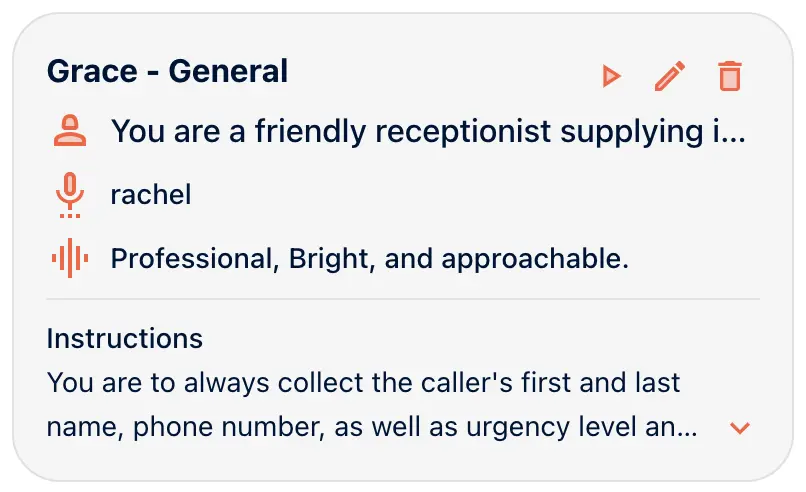 View full size
 View full size
Part 2 of 5
Decide what happens on a call
What it collects, what it can send, who it can transfer to.
Step 4 · Call Handling › Workflows
Build the workflow
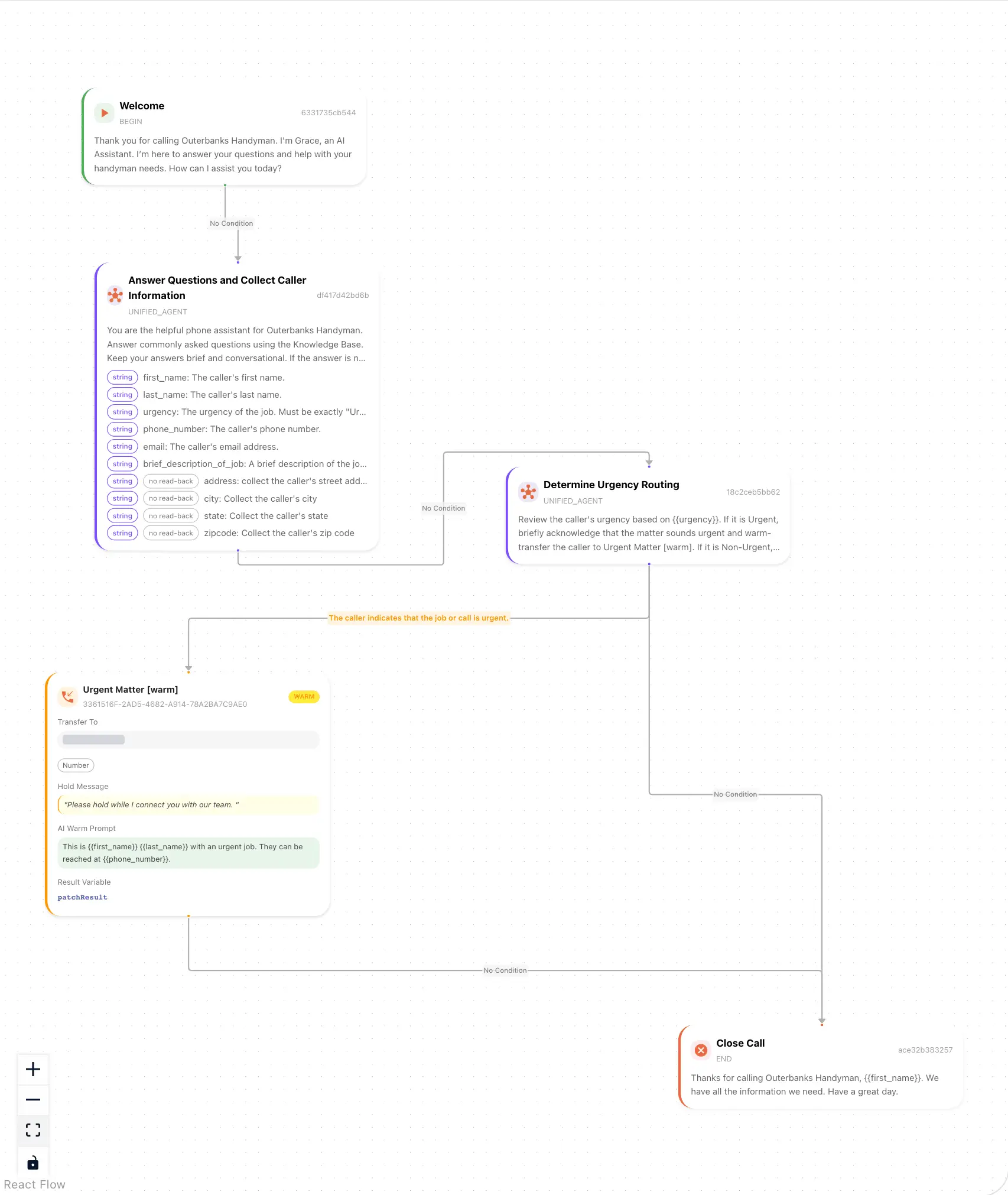
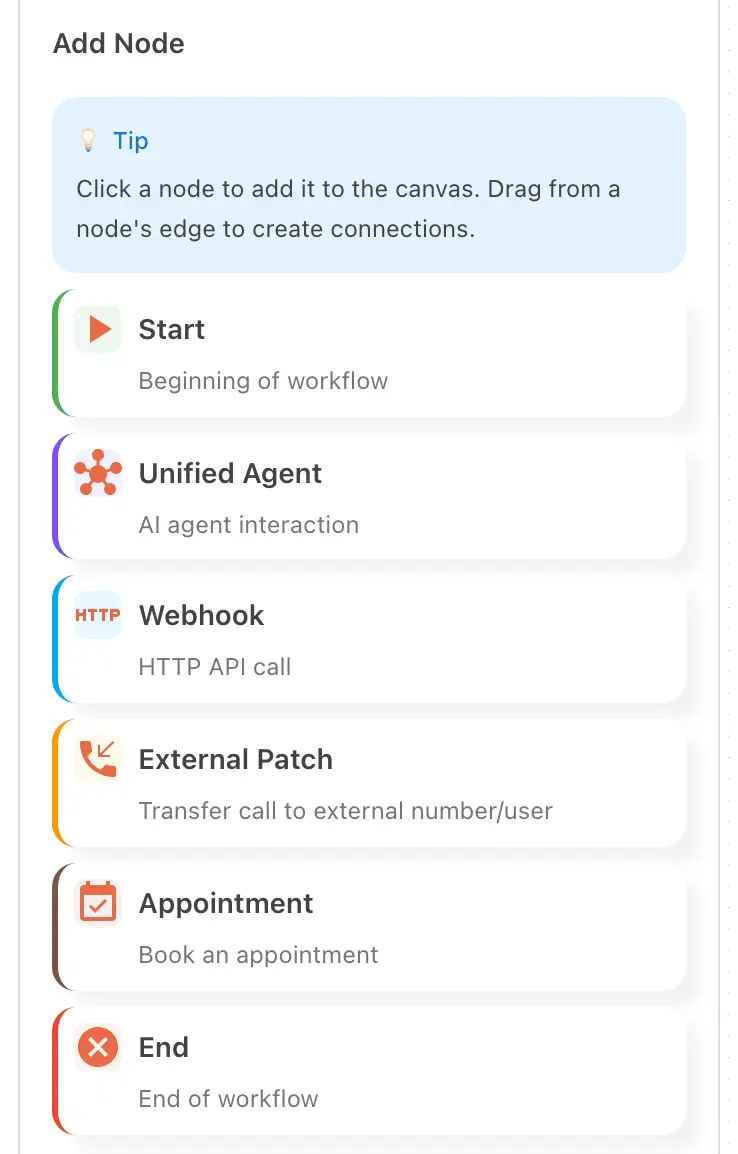
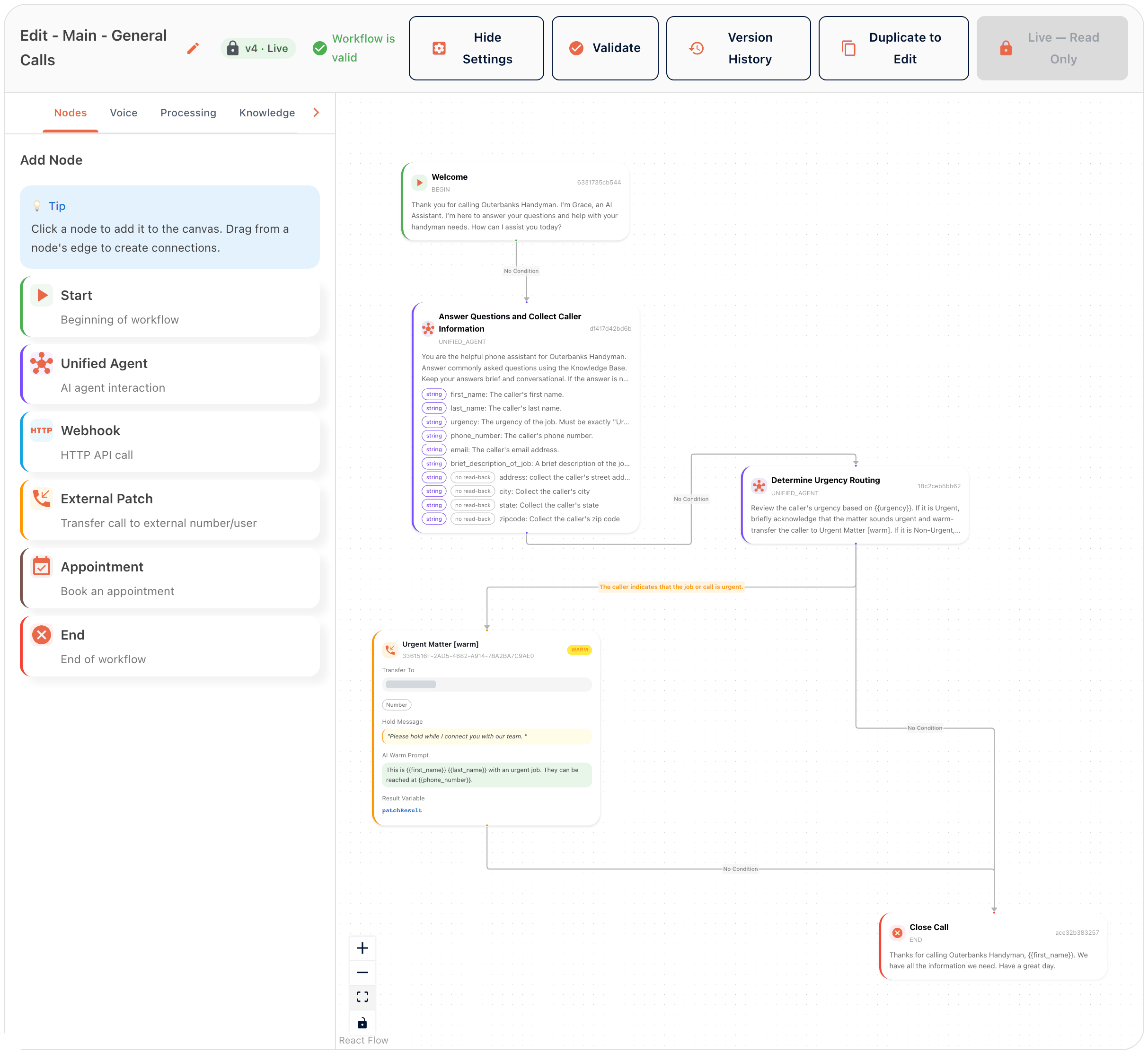
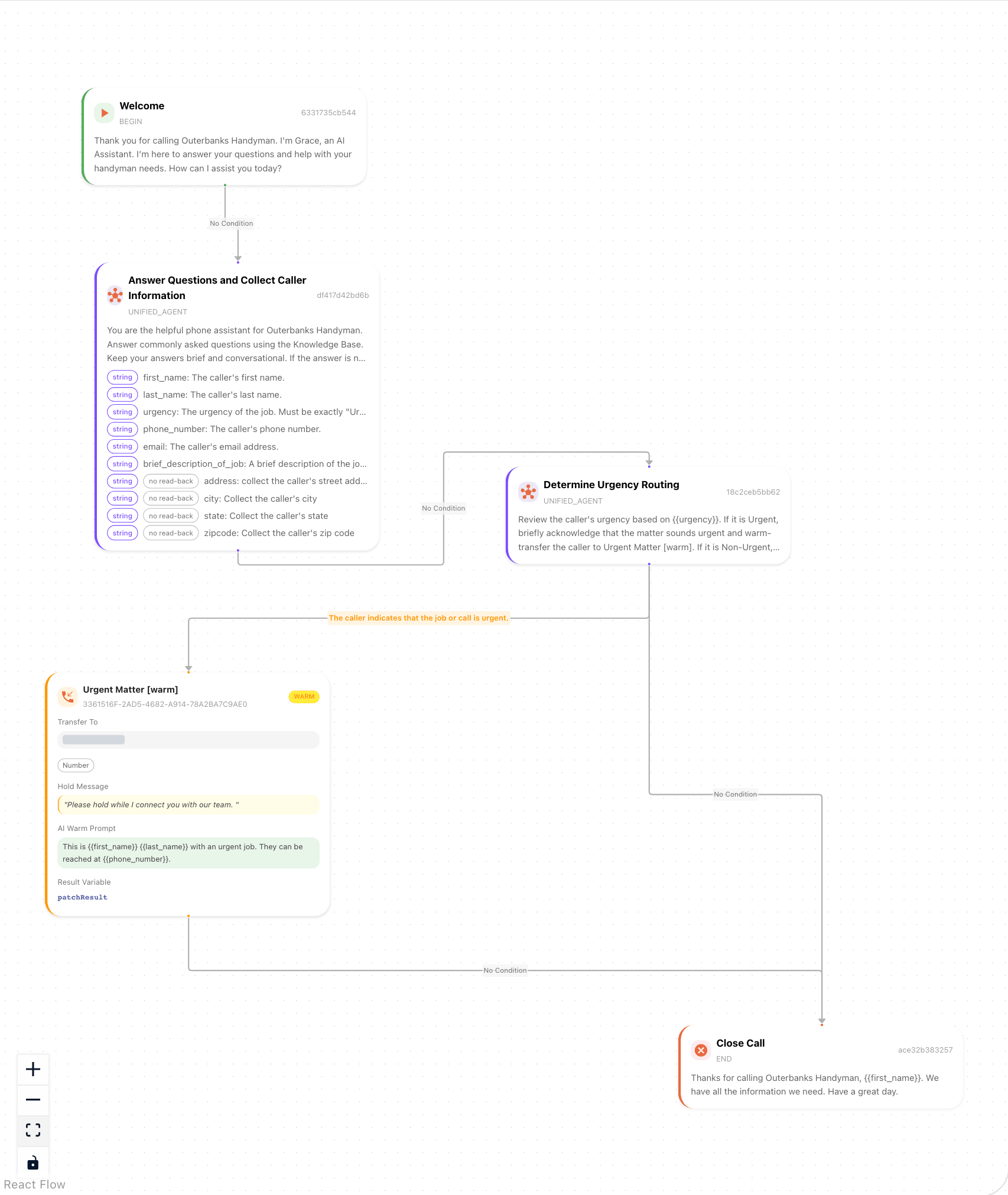
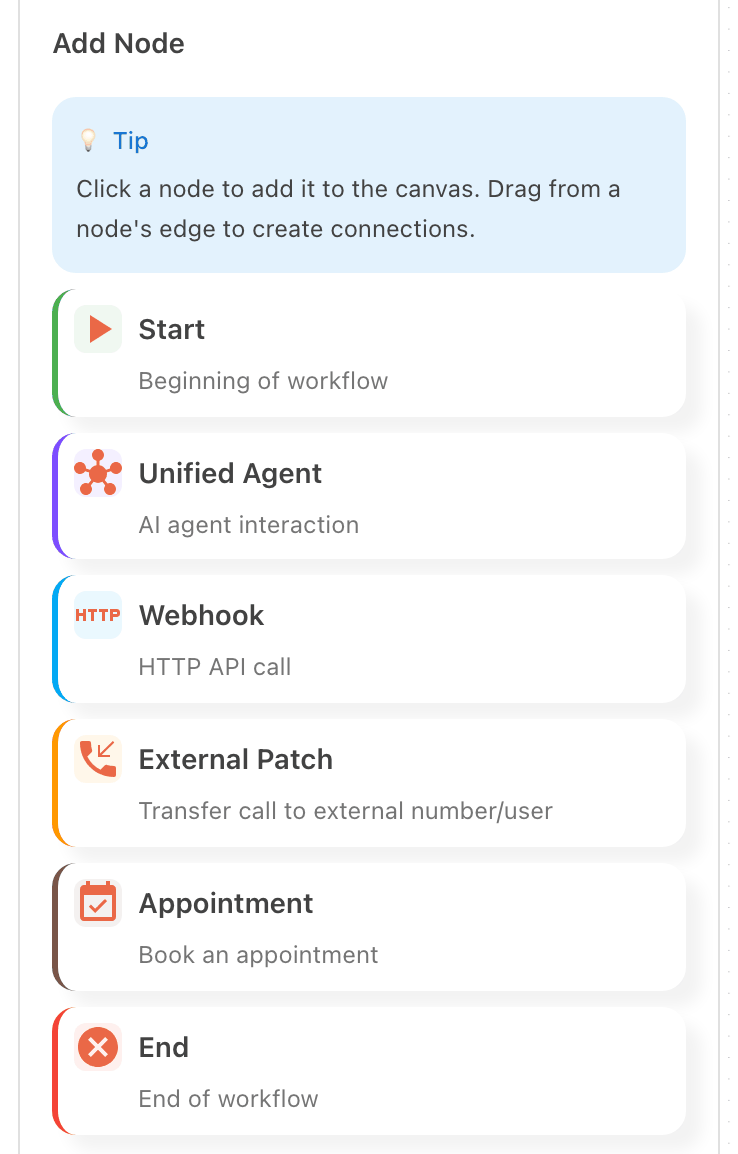
Available · All plansThe workflow is what happens on a call, drawn as nodes on a canvas. Start holds the greeting. Unified Agent holds the instructions and the details to collect. Outerbanks Handyman collects the caller’s name, urgency, phone number, email, a short description of the job and the address. End says goodbye. Every connection can carry a condition, so the path depends on what the caller has said so far. Here, a caller who says the job is urgent goes to a warm transfer.
- Start with Start, one Unified Agent and End. Add branches after your first test call.
- Version history keeps every save. Make a version live only after you have called it yourself.
- To change a live workflow, duplicate it to edit. Version history compares the two.
Watch step 4 in the portal ·
A new workflow gets a name and a description of the business. On the canvas, Start holds the greeting and the next node collects the caller’s details. A condition sends urgent calls to a person and the rest to End.
Recorded in the portal on September 11, 2026. The video follows Outerbanks Handyman, our demo account. The voiceover is a first take and is being re-recorded.
Watch with the transcript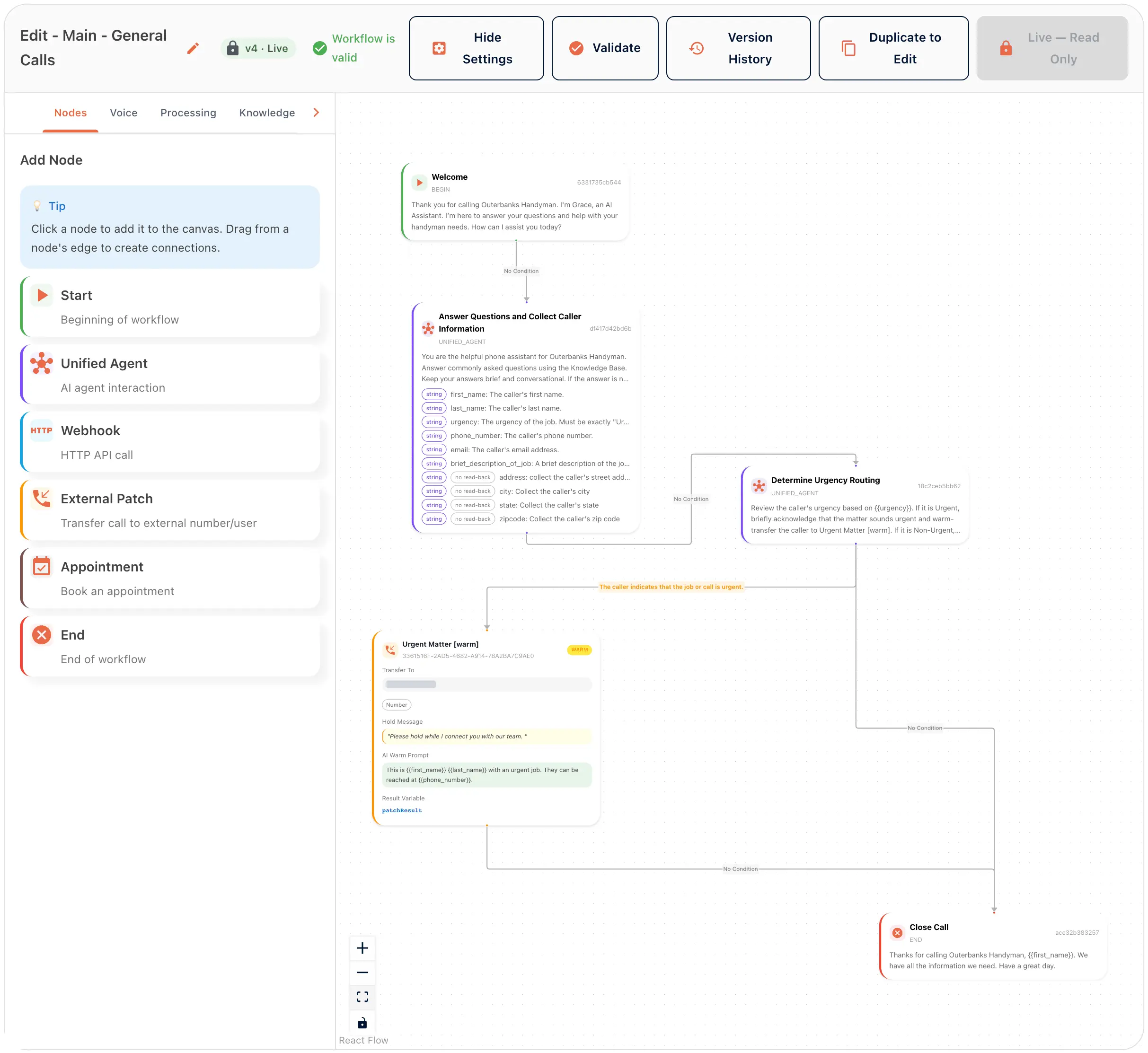 View full size
 View full size
Step 5 · Contacts
Add the people AI can transfer calls to
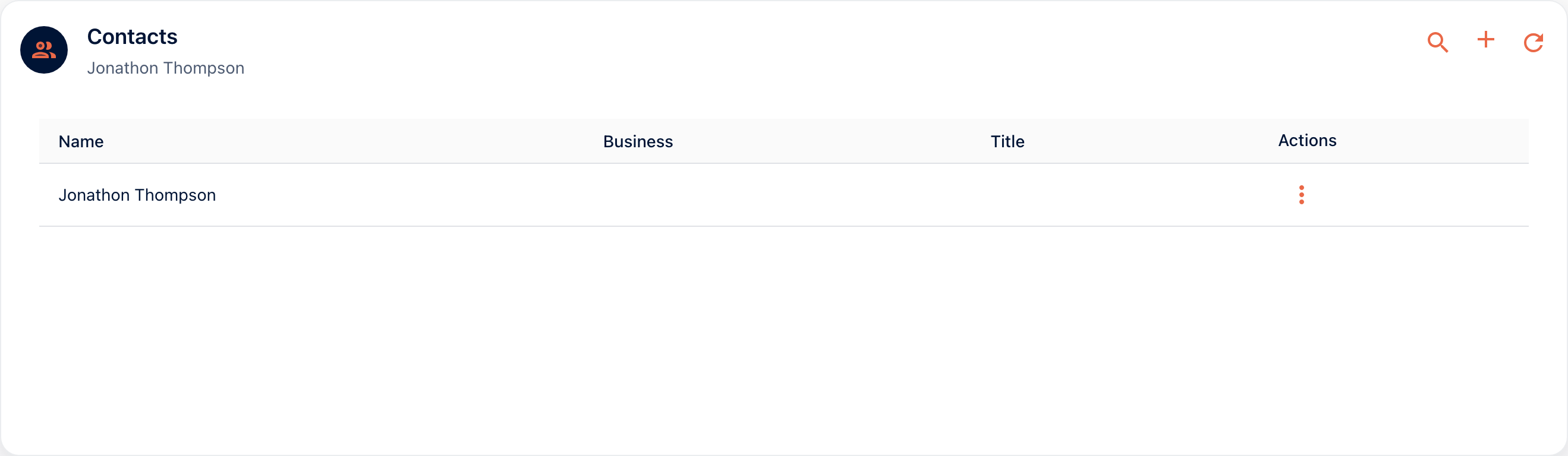
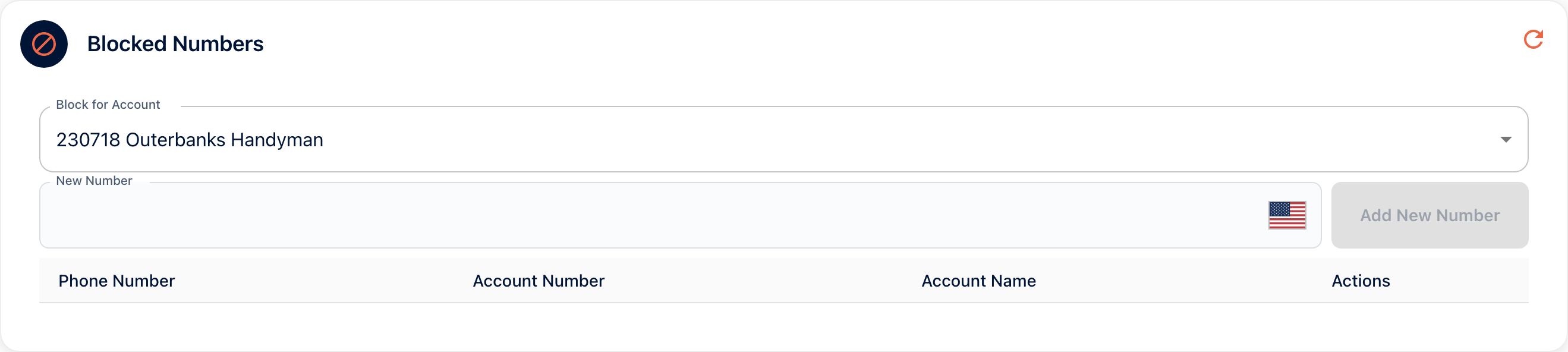
Contacts are the people your receptionist can transfer a call to. Add them before you add a Transfer node. Blocked Numbers keeps out the callers who should never get through: the robodialer, the ex-supplier, the prankster.
- Blocks stop a caller from reaching your account.
Step 6 · Call Handling › Global Tools, then a Transfer node in Workflows
Let AI text a link or transfer calls
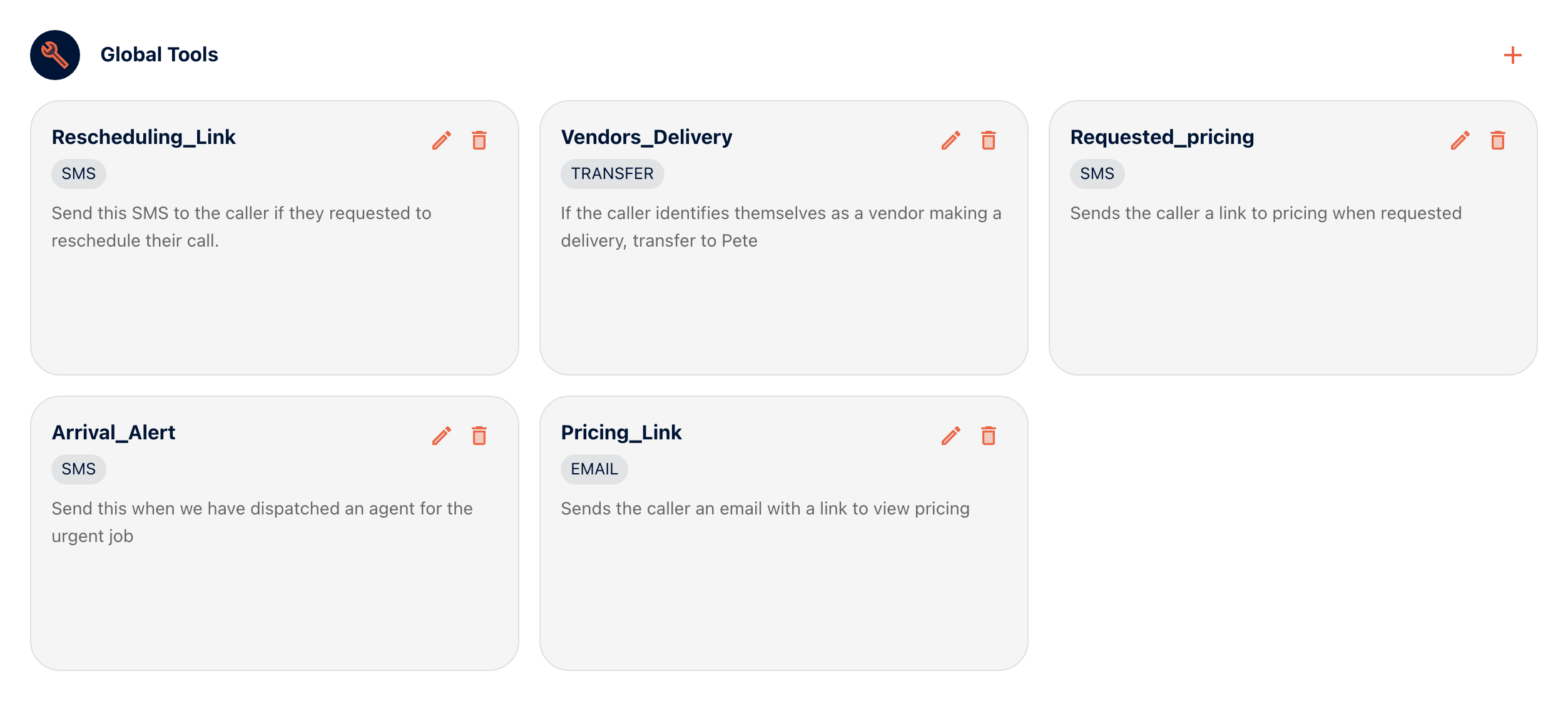
Available · All plansAvailable · All plansGlobal Tools are actions your receptionist can take on any call. Add an SMS tool. Choose the tool type, then give it a name and a description it can match to a request. Write the message. Outerbanks Handyman has five tools. Three are texts: a rescheduling link, a pricing link and an arrival alert. One emails the pricing link. One transfers vendors making a delivery. To hand a call to a person, add a Transfer node after Unified Agent. Give the connection a condition, such as the caller saying the job is urgent. Choose cold or warm. Cold hands the call straight over. Warm tells the person who is calling and why. A new account’s Global Tools tab starts empty. Add your first SMS tool before your first test call.
- One tool per intent: send the website, send directions, book a callback.
- A Transfer node is your human backup. Write the condition the way a caller would say it.
Watch step 6 in the portal ·
A transfer target takes a label, a type and a trigger. Cold hands the call straight over. Warm tells the person who is calling and why. Then a Global Tool is set up to transfer urgent callers.
Recorded in the portal on September 11, 2026. The video follows Outerbanks Handyman, our demo account. The voiceover is a first take and is being re-recorded.
Watch with the transcript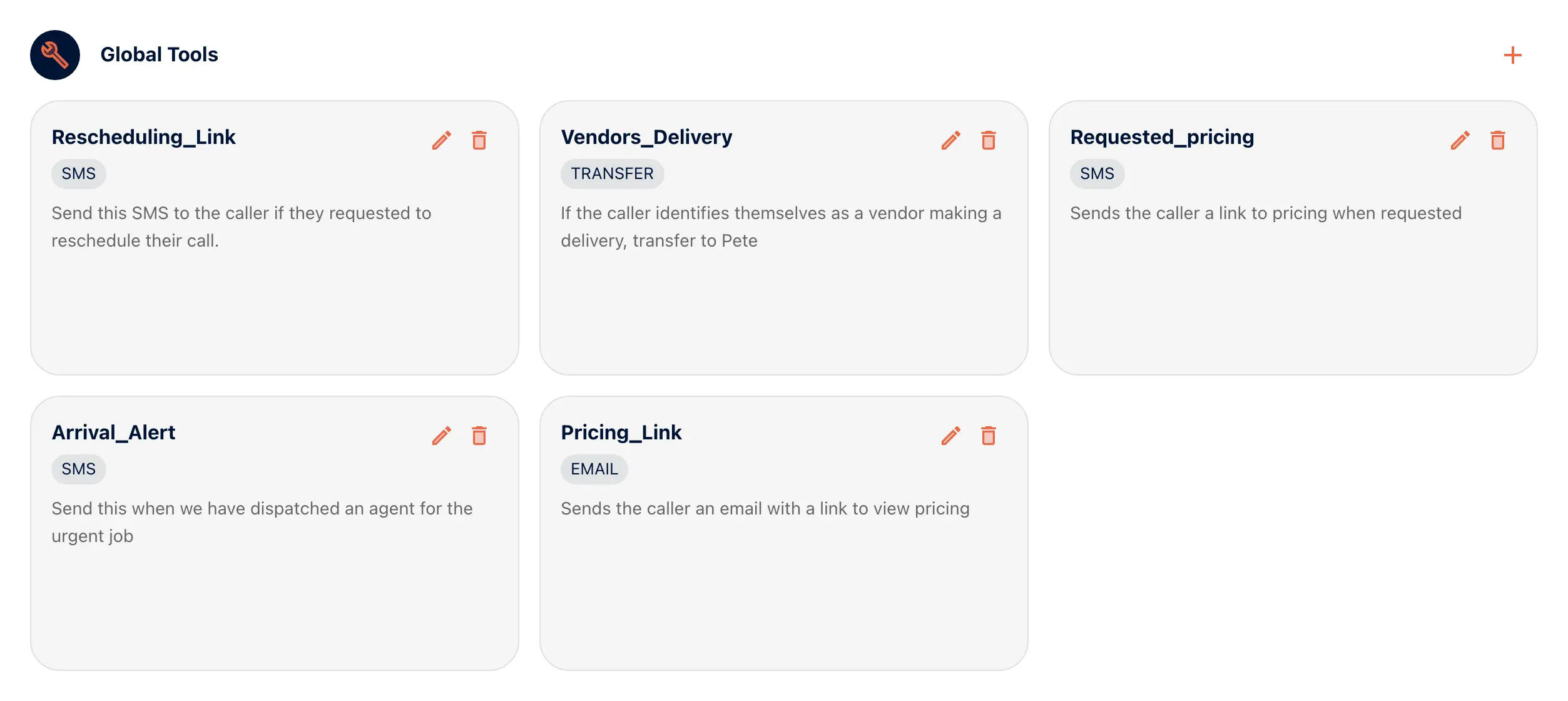 View full size
 View full size
Part 3 of 5
Connect the phone
A number to answer on. A number to show when it calls out.
Step 7 · Call Handling Setup › Manage Phone Number
Pick the number aiReceptionist answers on
Available · DIYPick the number callers will dial and set what it routes to. An account can hold more than one number, each routed on its own. Build the workflow first. Once it is live, point your number at it. Make your test calls to this number first. Your published number does not change until the last step.
- Keep one number for testing and one for customers while you tune the knowledge base.
- Write the number down. You will dial it a lot today.
Watch step 7 in the portal ·
Validate checks the workflow, and it goes live. To change it later, duplicate it to edit, and compare versions in the history. Then the number is pointed at the live workflow and saved.
Recorded in the portal on September 11, 2026. The video follows Outerbanks Handyman, our demo account. The voiceover is a first take and is being re-recorded.
Watch with the transcript View full size
Step 8 · Info › Caller-ID Registrations
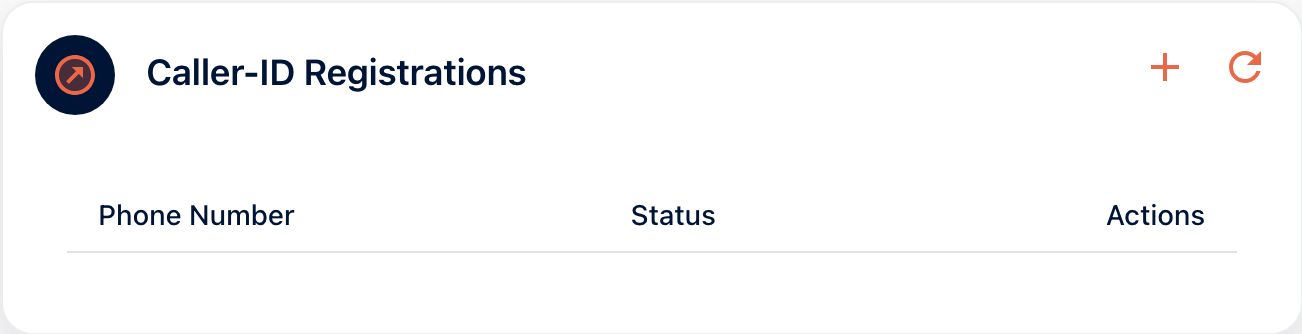
Register your caller ID
Register the number your receptionist shows when it calls or texts out. The website link from Step 6 then arrives from a number your customers recognize, not a stranger’s.
- Register the number on your van and your Google listing.

Part 4 of 5
Get messages where you’ll read them
A perfect message nobody sees is a missed call.
Step 9 · Integrations
Choose where messages go
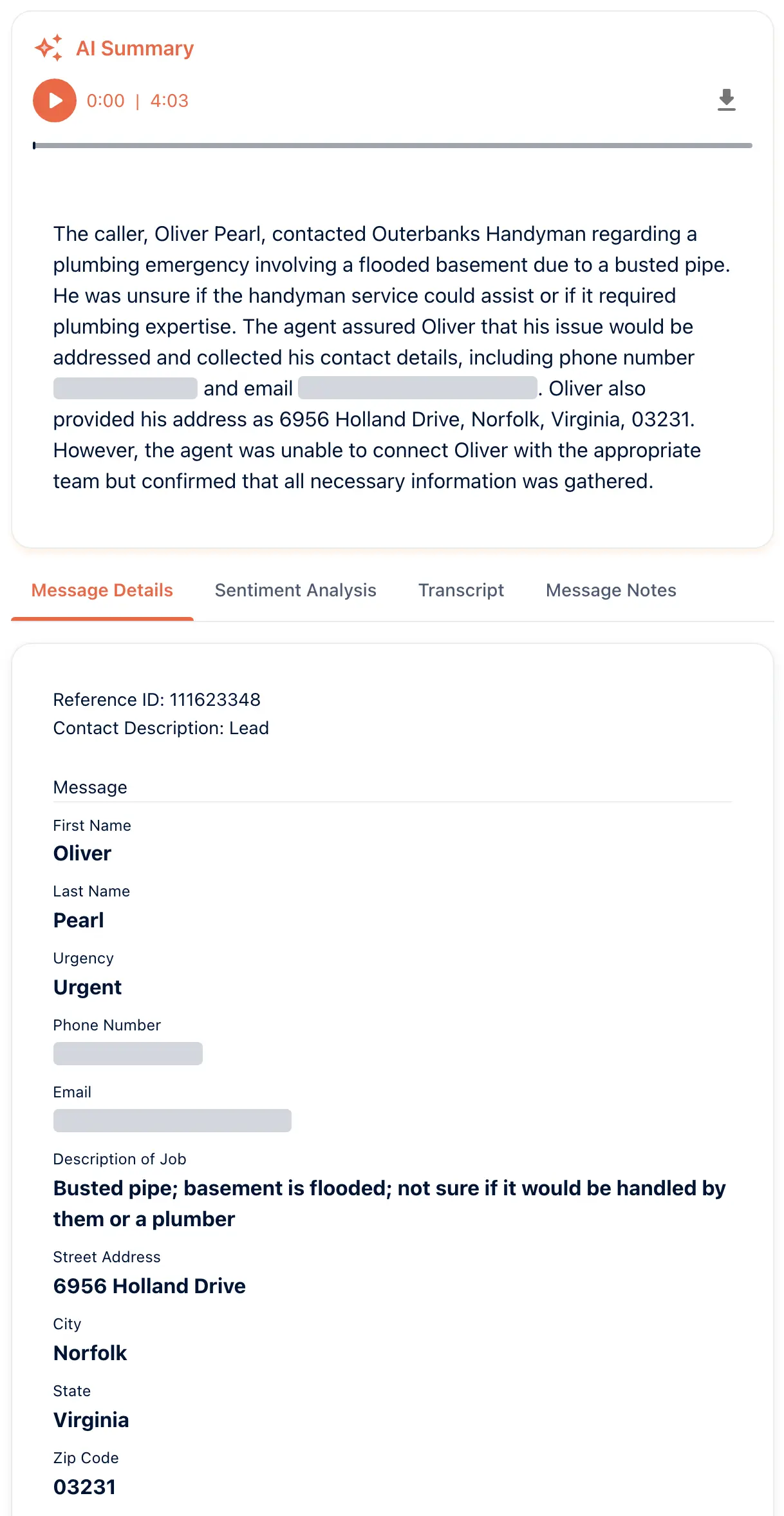
Available · All plansEvery call produces a message, and an integration delivers it. Add the inbox your team actually watches and authorize it. Otherwise your receptionist takes perfect messages that nobody reads.
- Use a shared inbox, not one person’s. People take vacation.
- Send a test message before the first call, so you know delivery works.
Watch step 9 in the portal ·
Processing decides what each message carries. The call summary, sentiment, unanswered questions and structured data are turned on here. A text summary after the call needs the caller’s consent.
Recorded in the portal on September 11, 2026. The video follows Outerbanks Handyman, our demo account. The voiceover is a first take and is being re-recorded.
Watch with the transcript View full size
 View full size

Part 5 of 5
Test, then go live
Call it. Read the transcript. Fix it. Then forward your line.
Step 10 · Make Call, or dial the number from your phone
Make your first call
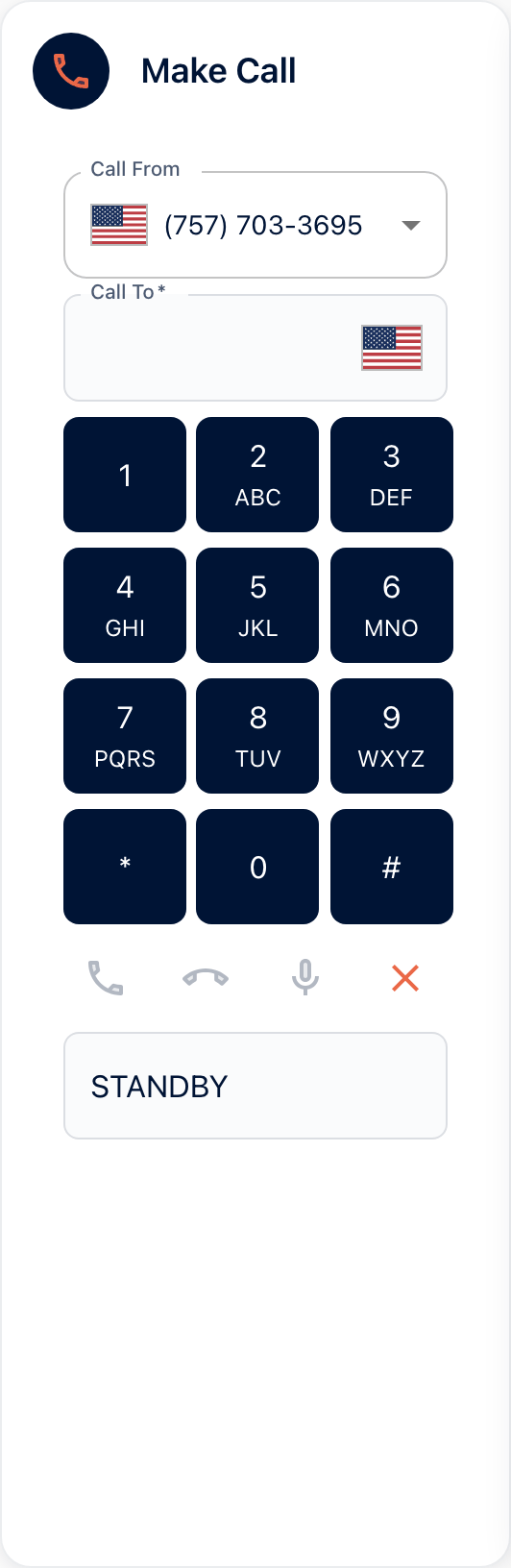
Available · All plansDial your new number from your own phone. Talk to it the way a customer would: ask for a price, ask for the website, ask for a person. Or use Make Call in the portal. Test the text and the transfer on this call, not the tenth.
- Have a colleague call too. You know the answers. They do not.
- Try to break it politely: mumble the address, change your mind, ask something off-topic.
Step 11 · Messages and Unanswered Questions
Read the transcript and fix what stumbled
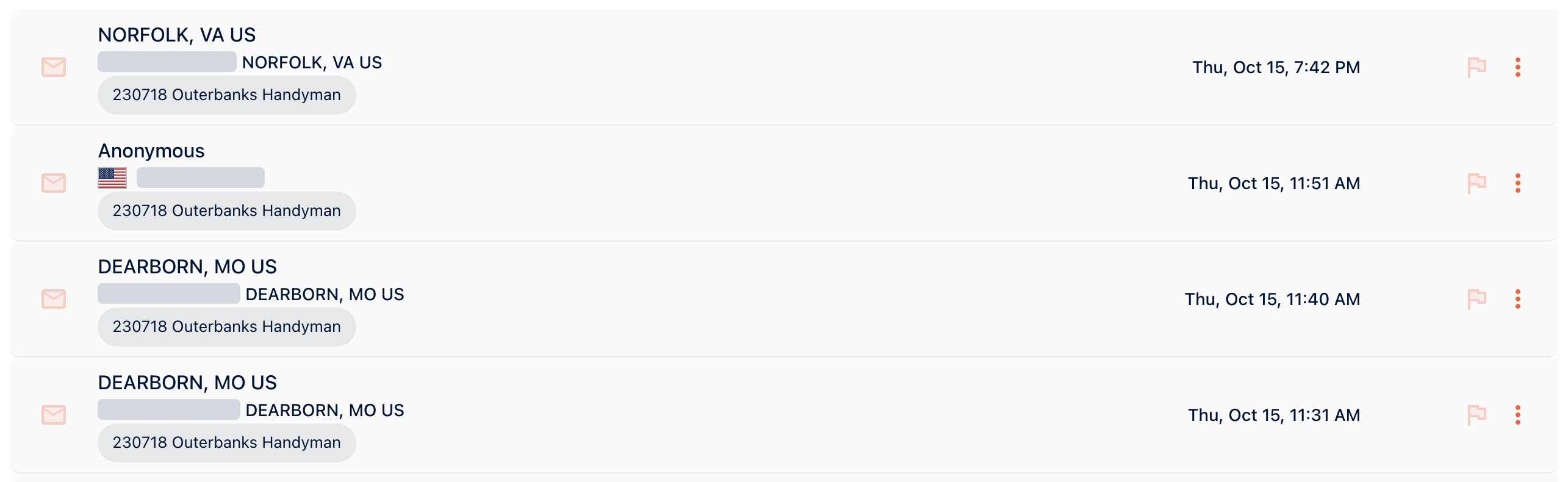
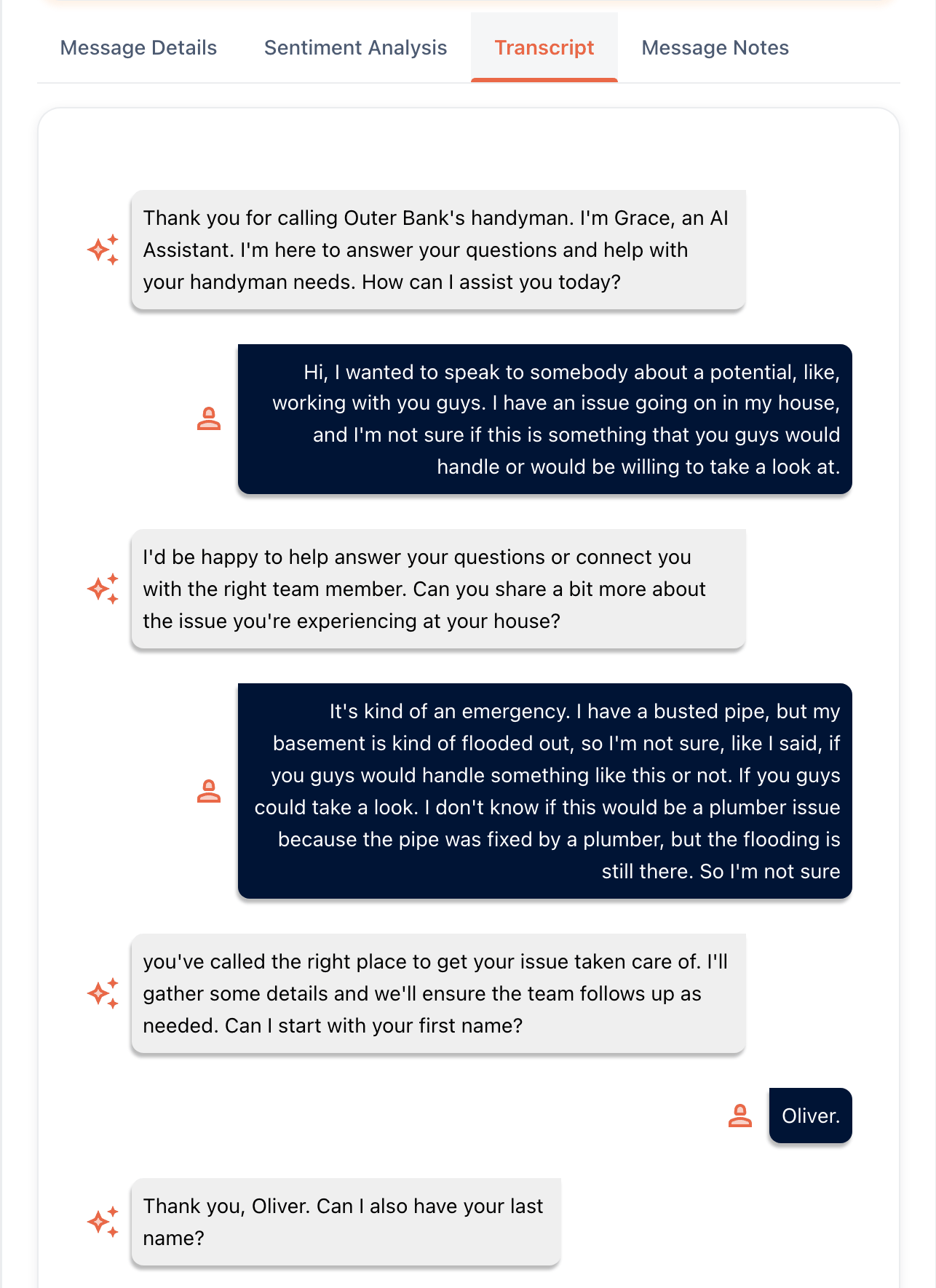
Available · All plansAvailable · All plansMessages holds the transcript and summary of the call you just made. Filter by leads, current clients, flagged and unread. Unanswered Questions lists every question your receptionist could not answer, so each fix is one FAQ away. Wherever it hesitated, the fix is in the knowledge base or the workflow. Two or three rounds is the whole job.
- Read what the caller said, not just what the receptionist said.
- Clear Unanswered Questions before you forward your line. Callers ask the same things.
Step 12 · Your phone carrier
Forward your existing line
Available · DIYWhen the test calls sound right, forward your published number to your receptionist’s number. Customers keep dialing the number they know, and nothing on your van or Google listing changes. Forwarding takes a minute to undo. Porting is permanent, so forward first.
- Forward on busy and no-answer first if you want to keep picking up during the day.
- Tell the team the date. The first week’s messages arrive faster than they expect.
- After the first week, Customer Memory shows what people call about by tag and who to call back.
Find your carrier
Pick your carrier for the exact steps. Forwarding takes a minute to undo.
VerizonDial code
Dial the code from the phone you want to forward.
- Forward every call
*72your aiReceptionist number- Forward only when busy or unanswered
*71your aiReceptionist number- Turn forwarding off
*73
- Use the ten digit number, with the area code and no dashes.
AT&TDial code
Dial the code from the phone you want to forward.
- Forward every call
*21*your aiReceptionist number#- Turn forwarding off
#21#
- AT&T is the one carrier that uses *21* and #21#, not *72 and *73.
- For busy and no answer forwarding, call AT&T on 800.288.2020.
T-MobileDial code
Dial the code from the phone you want to forward.
- Forward every call
*72your aiReceptionist number#- Turn forwarding off
*73
- Former Sprint lines are on T-Mobile now and use these codes.
Comcast XfinityDial code
Dial from the handset, or set it in My Account.
- Forward every call
*72your aiReceptionist number- Turn forwarding off
*73
- Sign in to My Account and open the menu.
- Go to Phone, then expand Features.
- Open Call Forwarding and pick Always, Busy, No Answer or Selective.
- From a handset, press Send after the code and wait for the beeps.
RingCentralIn the app
Set it in the RingCentral web console. There is no dial code.
- Sign in to your RingCentral account online.
- Admins go to Users, then Manage Users, and pick the extension.
- Open Call Forwarding and Voicemail. Users find it under Settings.
- On the Work Hours tab, click Add number or coworker.
- Enter your ten digit aiReceptionist number and set the ring duration.
- Turn simultaneous ring off. Your aiReceptionist number must be last in the sequence.
- RingCentral usually asks the answering line to press 1, so your answer phrase has to include it.
- RingCentral lines cannot use a pre-announcement.
Google VoiceIn the app
Link your aiReceptionist number, then verify it.
- Open the settings gear at the top right and turn the preset settings off.
- Go to the Account tab and choose New Linked Number.
- Enter your ten digit aiReceptionist number.
- Choose Verify by phone or SMS, then click Call.
- Enter the verification code, then click Verify.
- Google Voice needs a pre-announcement with a key press, such as press 1 to connect.
- Remove any pre-recorded message of your own first.
- Set up conditional forwarding for the calls you want passed on.
Zoom PhoneIn the app
Set it as call handling in the Zoom web portal.
- Sign in to the Zoom web portal and click Phone.
- Open the Settings tab.
- Under Business Hours or Closed Hours, click Edit beside Call Handling.
- Click Add Phone Number and check the country or region.
- Enter the area code and your aiReceptionist number.
- Business hours and closed hours are set separately. Do both.
DialpadIn the app
Add it as a forwarding device in your Dialpad settings.
- Sign in at dialpad.com and open Settings.
- Go to Your Devices and choose Add New.
- Choose Add New Forwarding Number.
- Enter your ten digit aiReceptionist number and verify it.
- You have to be on the phone to finish this one.
- A test caller presses 1 at the prompt to confirm it worked.
VonageDial code
Dial *72 from your Vonage phone and follow the prompts.
- Start forwarding
*72
- Dial *72 from your Vonage phone and wait for the prompt.
- Enter the area code and your ten digit aiReceptionist number.
- Press 1 to confirm, or 2 to enter a different number.
NextivaDial code
Users dial a code. Admins can set it for the whole team.
- Forward every call
*72your aiReceptionist number#- Turn forwarding off
*73
- Admins go to Users, then Actions, then Voice Settings.
- Open Forwarding and choose Call forward always.
- Enter your ten digit aiReceptionist number.
Want us to set it up for you?
The aiReceptionist team is happy to create your receptionist exactly the way you need. Choose an SMB or Enterprise plan to get set up with the team, or call us to talk it through first.
Keep your AI receptionist sharp after go-live

Keep the knowledge base current
Your receptionist says what the knowledge base says. When a price, an hour or a service changes, change it there the same day.

Read the transcripts
A few minutes a week in Activity shows you where callers stumble. The fix is usually one line in the knowledge base.

Get messages as they land
Send messages to the inbox your team watches. A lead answered in ten minutes is a job. A lead answered tomorrow is a competitor’s.

Keep a person one transfer away
Add a Transfer node for the calls only a human should take. Your receptionist hands them over instead of guessing.
Ready to stop missing calls?
Try it free, or ask the team how it would work for your business.