
Feature
AI receptionist customer portal
One portal for everything your receptionist does, at your desk or from your pocket.
The customer portal is where you manage your AI receptionist, its calls and its settings. Every greeting, answer, transfer rule, phone number, message and invoice lives there. It has the same eleven areas on desktop and mobile, from the dashboard to billing.
How the aiReceptionist portal works
Set up your AI receptionist
Company information, the knowledge base, the persona and the workflow are all portal screens. Twelve steps, one afternoon.
Watch aiReceptionist work
The dashboard shows inbound vs outbound, sentiment, call tags and hourly volume. Messages holds every transcript and summary.
Fix what stumbled
Unanswered Questions lists what the receptionist could not answer. Each fix is one FAQ away.
In the portal
Dashboard
The dashboard for Outerbanks HVAC charts inbound vs outbound calls, sentiment, call tags and hourly volume. Below sit recent activity, current call usage and open invoices.
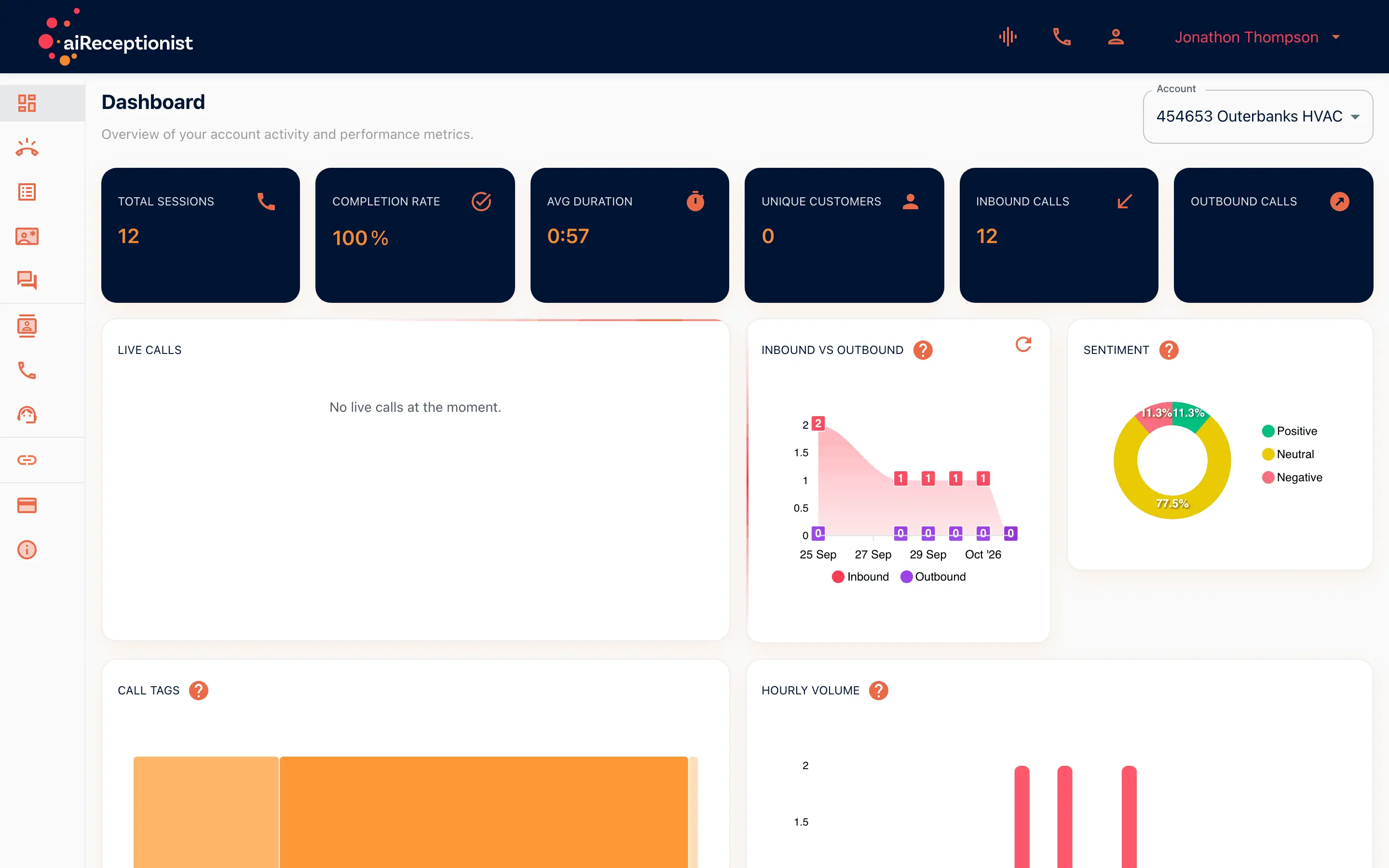
From the setup walkthrough
Call Handling holds two screens. The knowledge base is the general information your receptionist draws on. FAQs are the questions and answers themselves. Here the knowledge base is pasted in and saved.
A recording of the portal made on 11 September 2026, 00:09 to 01:14 of the full walkthrough. See every step of the setup.
AI receptionist portal for owners on the road
The self-built plan
Everything is configured here, by you, on your own schedule.
The managed plan
Set-up is done with the team. The portal is where you review results and adjust.
The owner on the road
The same portal on a phone: read the summary, check the dashboard, block a number.
Goes with
Status read from the same capability matrix as the pricing page.
- Team / user management
- Invite users, choose what each one can change, and keep call contacts separate from account logins.
- Available · SMB and Enterprise
- Transcript in the portal
- The written record of every call, kept in the portal to read, search and download.
- Available · All plans
- Customer memory
- Recognizes a returning caller and carries what they called about into the live call. Call reasons by tag and call-back recommendations in the portal.
- Available · All plans
- Workflow builder (self-serve)
- Build what happens on a call from a set of nodes. No developer needed.
- Available · All plans
Defined in the glossary
Questions
- What is in the portal?
- Dashboard, Call Handling, Messages, Customer Memory, Unanswered Questions, Contacts, Make Call, Assist, Integrations, Billing Dashboard and Info.
- Does it work on a phone?
- Yes. The same eleven areas, in the same order, in the mobile drawer.
- Can my team log in too?
- Team management lets you invite your team and manage who can see and change what. The badge on that page shows which plans include it.
See AI in action for your business
Start a free trial and set it up in the portal today, or talk to the team first.