
Feature
AI receptionist customer memory
It remembers who called and why. Humans win the conversation. Memory wins the relationship.
Customer memory is your AI receptionist recognizing a returning caller and carrying what they called about into the live call. A caller who rang about a quote last week does not start from zero. In the portal, Customer Memory shows what people call about by tag, and who to call back. You decide whether memory is on, and how much it keeps.
How AI customer memory works
A caller rings back
Where caller ID is passed, the receptionist recognizes the number and what that caller asked about before.
The context comes into the call
The receptionist picks up the thread instead of asking the caller to repeat themselves.
The portal shows the pattern
What People Call About lists call reasons by tag, this week against last. Call Back Recommendations names who to call.
In the portal
Customer Memory
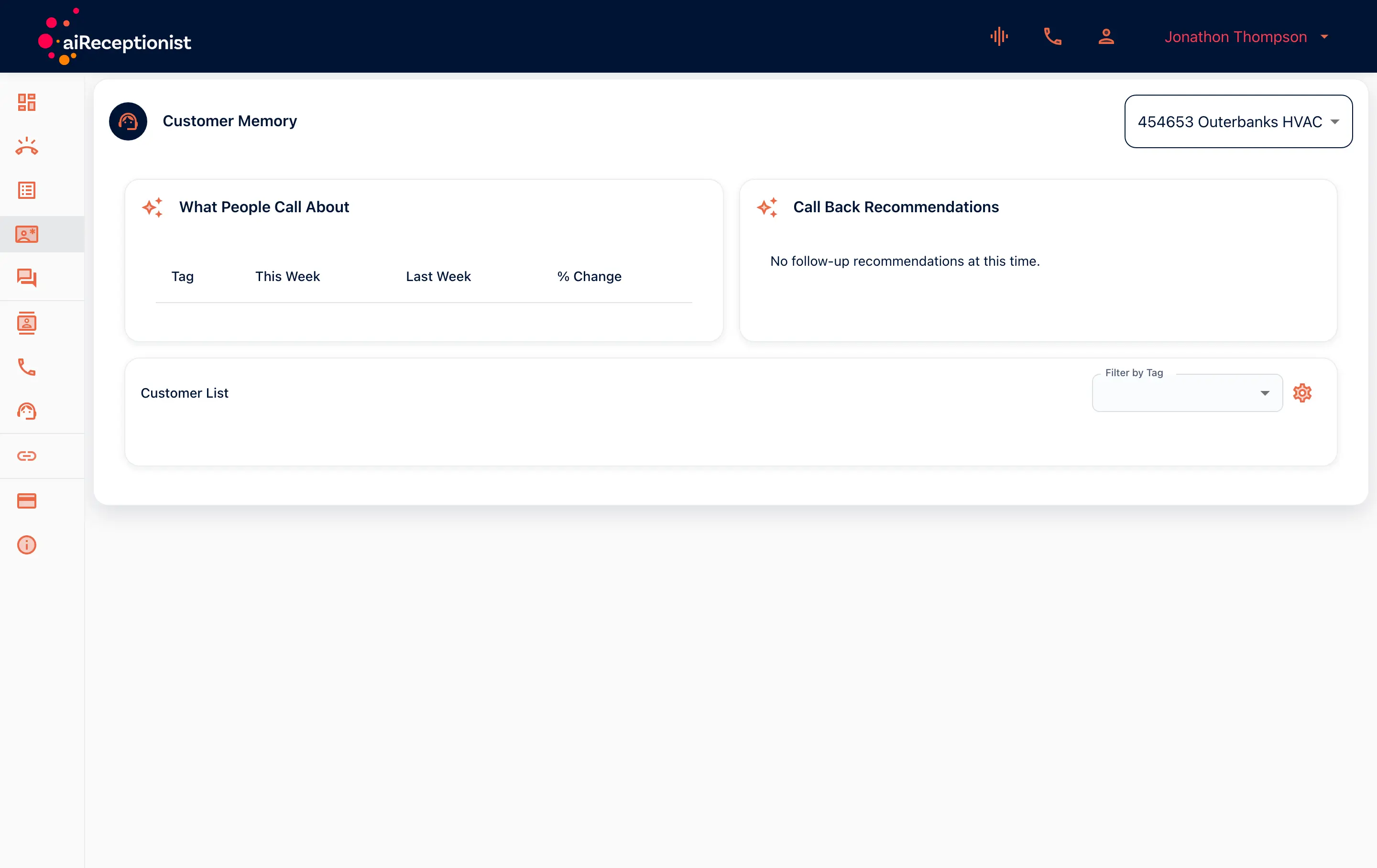
The Customer Memory page has a What People Call About table: each tag this week, last week and the change. Below it sits the Call Back Recommendations card. A customer list, filterable by tag, sits below. Memory itself is a switch on the workflow, beside the knowledge base. You choose the window and how many calls it keeps.
From the setup walkthrough
Customer memory keeps a window and a cap. The defaults chosen here are thirty days and ten entries. Validate checks the workflow, and the draft becomes live. After that, editing means duplicate to edit.
A recording of the portal made on 11 September 2026, 17:38 to 18:28 of the full walkthrough. See every step of the setup.
AI customer memory for businesses with repeat callers
The business with repeat callers
The same customers call every season. The receptionist knows them the second time.
The owner who wants the pattern
After the first week, the tags show what people call about. The call-back list shows who is waiting.
Goes with
Status read from the same capability matrix as the pricing page.
- Call sentiment
- Each call is tagged with how the caller seemed to feel.
- Available · All plans
- Transcript in the portal
- The written record of every call, kept in the portal to read, search and download.
- Available · All plans
- Built-in CRM
- Contacts, tags and call history kept for you. No external CRM needed.
- On the roadmap
Defined in the glossary
Questions
- How does it recognize a caller?
- By the caller ID the carrier passes. Where caller ID is withheld, the receptionist cannot know who is calling.
- What does it remember?
- What the caller called about before, so the live call can carry on from there.
- What are call-back recommendations?
- A list in the portal of callers worth calling back, drawn from the calls the receptionist has handled.
- Can I turn customer memory off, or limit it?
- Yes. It is a switch on the workflow. You also set the window and how many calls it keeps. Our team starts at 30 days and 10 entries.
- Is customer memory on every plan?
- The availability badge on this page shows the plans, and the condition: it works where caller ID is passed.
See AI in action for your business
Start a free trial and set it up in the portal today, or talk to the team first.