
Feature
AI receptionist webhook node
Ask your own system a question mid-call and use the answer in the next sentence.
The webhook node is a workflow node that calls a URL you control while the caller is on the line. It uses the reply. It is a real-time integration. The receptionist can check an order or confirm a detail against your data, then answer the caller. You build and maintain the endpoint.
How the webhook node works
Provide an endpoint
Anything that accepts an HTTPS request and returns JSON works. A serverless function, an internal API, an automation platform’s catch hook.
Add a Webhook node
Place it in the workflow where the receptionist needs the answer. Connect it with a condition on when to call.
The reply shapes the call
The receptionist reads the response and carries on. Later connections can branch on what came back.
In the portal
Call Handling › Workflows › Add Node
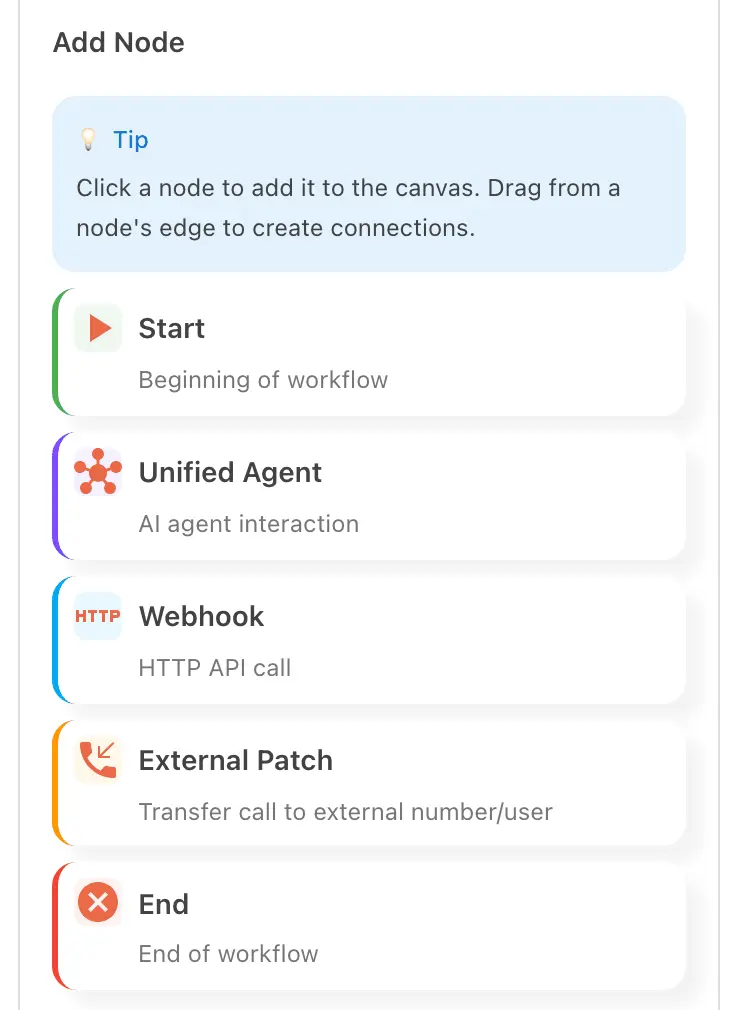
The Add Node panel lists five node types. Webhook is the third, between Unified Agent and External Patch. Drag it onto the canvas and connect it like any other node.
Webhooks for shops, practices and their own systems
The shop with an order system
A caller asks if their part is in. The receptionist checks your system and tells them, on the call.
The practice with a patient record
A returning caller gives a reference. The receptionist confirms it against your data before booking.
Goes with
Status read from the same capability matrix as the pricing page.
- Workflow builder (self-serve)
- Build what happens on a call from a set of nodes. No developer needed.
- Available · All plans
- Post-call sync
- After a call ends, the summary and details are pushed to the tools you use.
- Available · All plans
- Custom integration, built for you
- We build and maintain the connection to your systems.
- Available · SMB and Enterprise
- Real-time CRM lookup
- Looks a caller up in your systems during the call and answers from live data.
- On the roadmap
Defined in the glossary
Integrations
Questions
- Who builds the endpoint?
- You do. The webhook node is built and maintained by you. For a connection built for you, talk to the team about a custom integration.
- Is this the same as post-call sync?
- No. Post-call sync pushes a record after the call. The webhook node asks a question during the call.
- Can the workflow branch on the reply?
- Yes. A condition on a connection can read what came back, so the path depends on your system’s answer.
See AI in action for your business
Start a free trial and set it up in the portal today, or talk to the team first.