
Feature
AI receptionist appointment booking
The caller asks for a time. The receptionist books it, on the call.
AI scheduling is your receptionist booking an appointment during the call. It collects what the booking needs, such as a preferred service window, and books the visit. You tell it what to say about scheduling in the knowledge base, including what it must never promise.
How AI appointment booking works
Tell aiReceptionist your booking rules
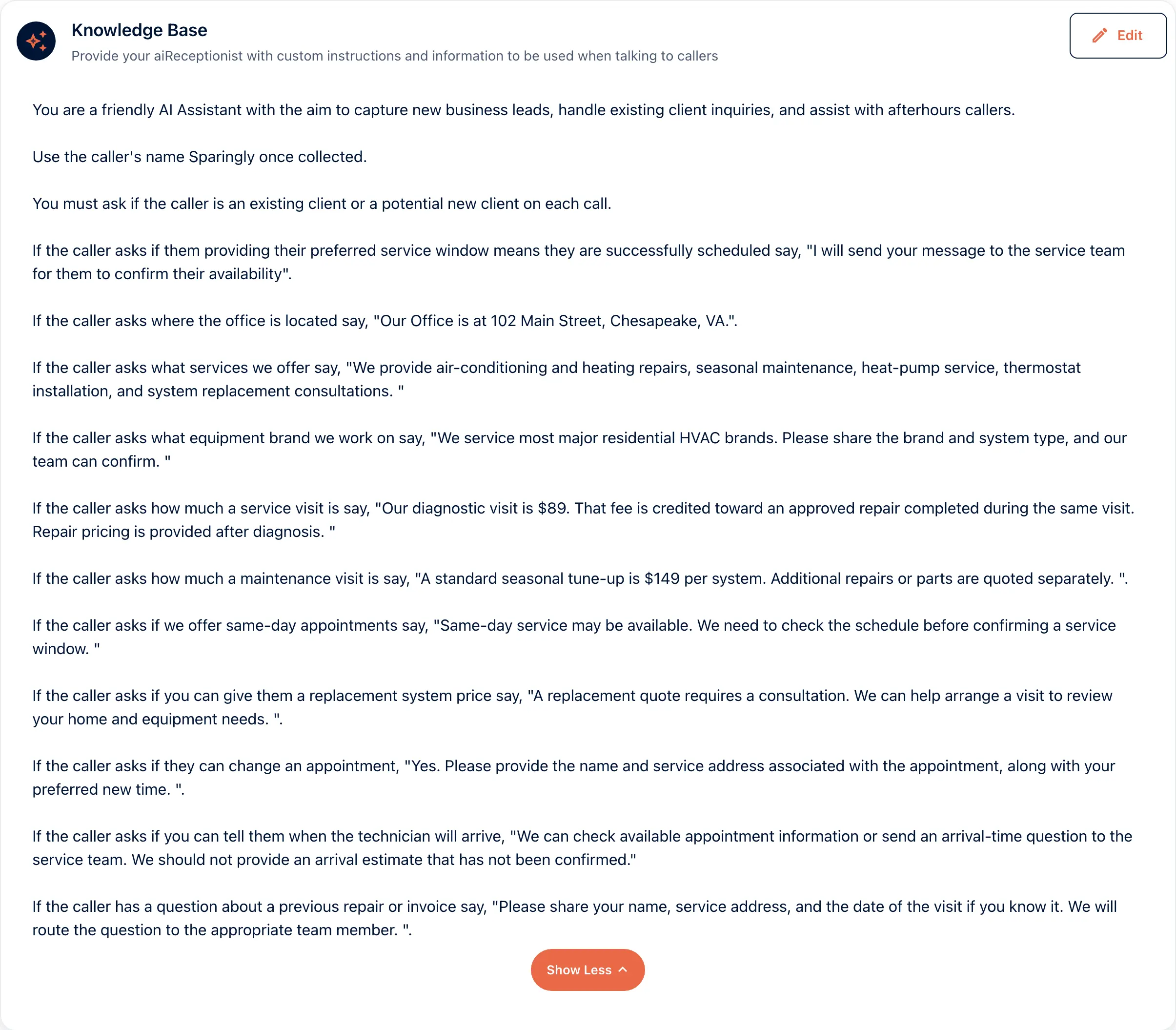
The knowledge base holds what to say about scheduling. Outerbanks HVAC never promises an arrival time nobody has confirmed.
Your AI receptionist collects the details
The Unified Agent node lists what to collect: name, phone number, preferred service window, address and the reason for calling.
aiReceptionist books and confirms
The appointment is booked on the call. The summary reaches you when the call ends.
In the portal
Call Handling › Manage Knowledge, then Workflows
The Knowledge Base card holds Outerbanks HVAC’s scheduling rules. Ask whether the caller is new or existing. Quote the $89 diagnostic visit. Never promise an unconfirmed arrival time. The workflow collects the preferred service window.
AI appointment booking for service businesses and practices
The service business
A caller wants a visit Tuesday morning. The receptionist collects the address and the window and books it.
The practice with a calendar
Book into the calendar you already use. The integrations page lists the calendars.
Goes with
Status read from the same capability matrix as the pricing page.
- Calendly
- Book into a Calendly calendar from a call.
- On the roadmap
- Post-call SMS confirmation
- The caller gets a text confirming what was captured, so they can correct it.
- On the roadmap
- Post-call summary and notifications
- A short summary of each call, sent to you as soon as it ends.
- Available · All plans
Defined in the glossary
Integrations
Questions
- What if the caller wants a time that is not free?
- The receptionist offers what is free instead. Tell it in the knowledge base what it must never promise.
- Which calendars does it book into?
- The integrations page lists each calendar with its status.
- Does the caller get a confirmation?
- You get the summary when the call ends. The pricing matrix shows the status of a text confirmation to the caller.
See AI in action for your business
Start a free trial and set it up in the portal today, or talk to the team first.