
Feature
AI outbound calls
Ask your receptionist to place a call for you. Tell it who to call and what to say.
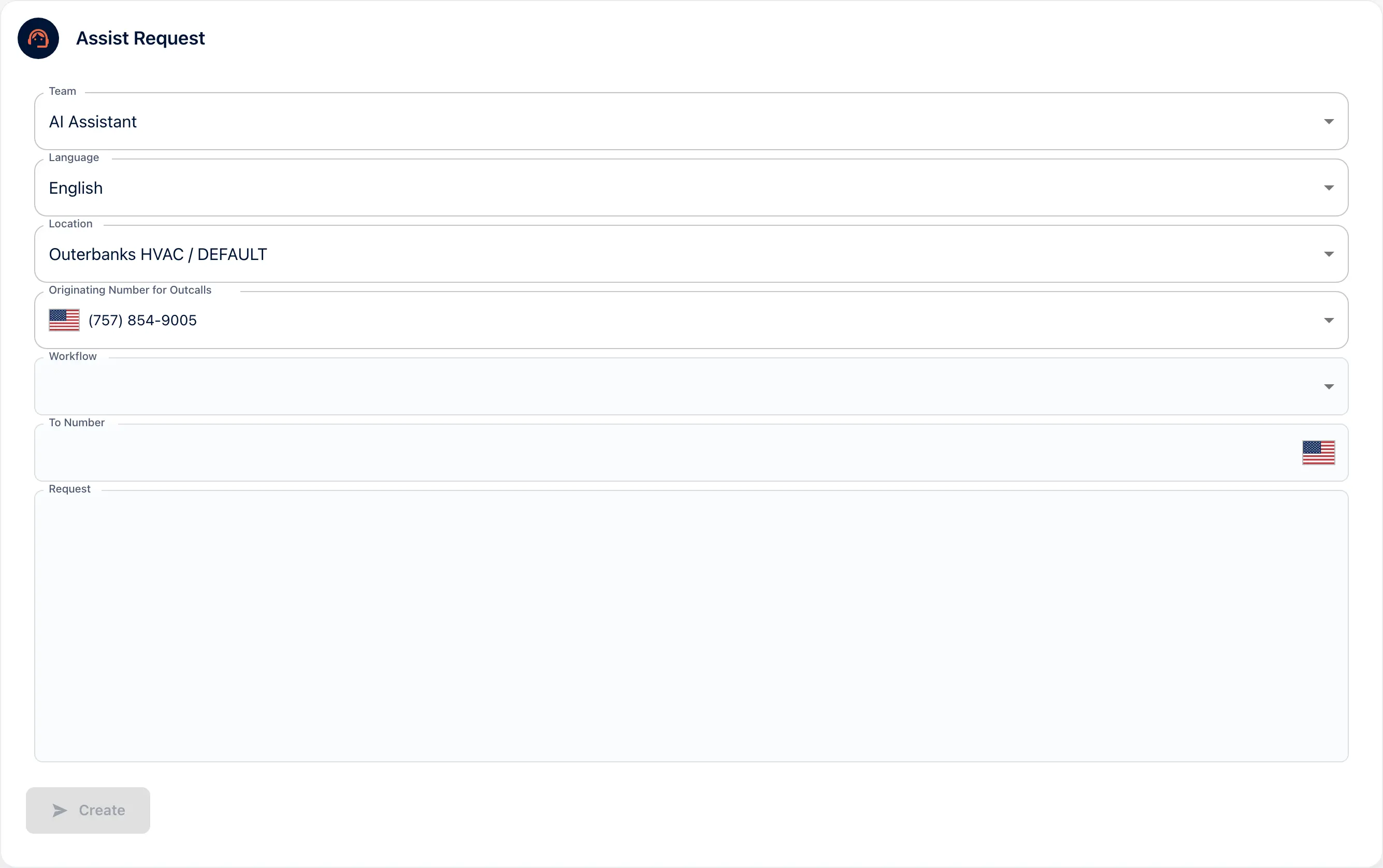
AI outbound calls are calls your AI receptionist places on request from the portal. In the Assist form you choose the number it calls from and enter the number to call. Then you write what to say. It says it is an AI at the start of every call, the same as when it answers.
How AI outbound calls work
Open Assist
Choose the language, the location and the number it calls from. Pick a workflow if the call should follow one.
Say who and what
Enter the number to call. Write the request in plain words: what the call is about and what you need from it.
Create the request
The receptionist places the call. The call appears in Messages under the Outbound Calls filter, with its transcript and summary.
In the portal
Assist
The Assist Request form has seven fields: Team, Language, Location, Originating Number for Outcalls, Workflow, To Number and Request. Outerbanks HVAC calls out from (757) 854-9005. The Create button sends the request.
AI outbound calls for callbacks and confirmations
The missed call you want returned
A lead called while you were out. Ask the receptionist to call back, confirm what they need and book the visit.
The appointment worth confirming
Tomorrow’s 8am visit is a long drive. A confirmation call the night before saves the trip.
Goes with
Status read from the same capability matrix as the pricing page.
- Workflow builder (self-serve)
- Build what happens on a call from a set of nodes. No developer needed.
- Available · All plans
- Transcript in the portal
- The written record of every call, kept in the portal to read, search and download.
- Available · All plans
- Dedicated phone number(s)
- The business number it answers on, and the number it shows when it calls out.
- Available · DIY
Defined in the glossary
Questions
- Does the person know it is an AI?
- Yes. It says it is an AI at the start of every call it places.
- Which number does it call from?
- The one you choose in the Originating Number for Outcalls field. Register your caller ID so it is a number people recognize.
- Can it follow my workflow on the call?
- Yes. Choose a workflow in the Assist form and the call follows it.
- Where do I see what was said?
- In Messages. Filter by Outbound Calls to see the transcript and summary of each call it placed.
See AI in action for your business
Start a free trial and set it up in the portal today, or talk to the team first.