
Feature
AI receptionist unanswered questions
The questions it could not answer, in your customers’ own words.
Unanswered questions are the things callers asked that your receptionist had no answer for. Every one is collected on a single screen in the portal. A knowledge base is never finished on the first day. This is how you find out what it is missing, from the people who called. Detecting them is a switch on the workflow, so turn it on first.
How the Unanswered Questions list works
A caller asks something new
The receptionist says it does not have that answer, takes a message, and does not guess.
The question is collected
Detect unanswered questions is a switch on the workflow, so turn it on first. Each question then lands on the Unanswered Questions screen, in the caller’s own words.
You answer each question once
Add it to the knowledge base or the FAQs, and the next caller who asks gets a real answer. FAQs take a CSV upload, or you can add them one at a time.
In the portal
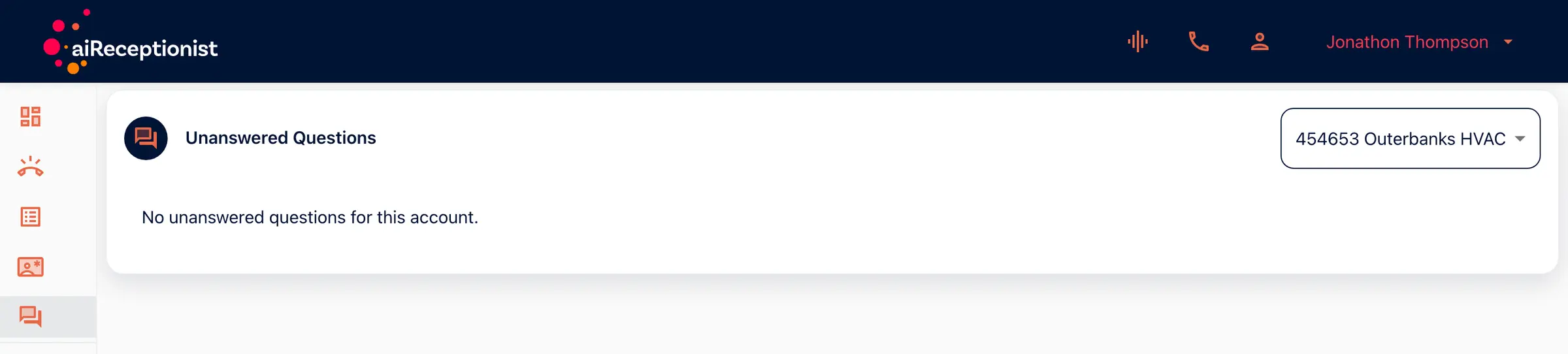
Unanswered Questions
One screen per account, listing the questions the receptionist could not answer. Outerbanks HVAC has none outstanding, which is what a knowledge base looks like once the gaps are closed.
From the setup walkthrough
FAQs go in one at a time, or arrive as a CSV upload. The examples typed here are discounts, seasonal hours, call backs and pricing. Each answer closes a gap a caller would otherwise hit.
A recording of the portal made on 11 September 2026, 01:15 to 02:25 of the full walkthrough. See every step of the setup.
Unanswered questions for owners tuning their receptionist
The owner who wrote the knowledge base alone
You wrote what you thought callers ask. This is what they actually asked.
Anyone about to forward their main line
Clear the list before the real volume arrives. Callers ask the same things.
Goes with
Status read from the same capability matrix as the pricing page.
- Transcript in the portal
- The written record of every call, kept in the portal to read, search and download.
- Available · All plans
- Post-call summary and notifications
- A short summary of each call, sent to you as soon as it ends.
- Available · All plans
- Agent Persona
- Define how your receptionist introduces itself, its tone and its goals.
- Available · All plans
Defined in the glossary
Questions
- What does the caller hear when it does not know?
- It says it does not have that answer and takes a message. Your workflow can hand the call to a person instead. It does not invent an answer.
- How often should I check it?
- Weekly in the first month, when most gaps appear, then whenever your prices, hours or services change.
- Do questions disappear once I answer them?
- You close a gap by adding the answer to your knowledge base or FAQs. The screen is there to show you what is still open.
- Is this the same as the call transcript?
- No. The transcript is the whole conversation. This is only the questions that had no answer, gathered across every call.
- Is this on by default?
- No. Detect unanswered questions is a switch on the workflow. Turn it on before your first call, or nothing is collected.
See AI in action for your business
Start a free trial and set it up in the portal today, or talk to the team first.