
Feature
AI receptionist call sentiment
Know how each caller seemed to feel, before you call them back.
Call sentiment is a tag on each call for how the caller seemed to feel. Your AI receptionist tags every call it handles. The dashboard charts sentiment across calls, so you see the pattern. The tag on a single call tells you which callback to make first.
How AI call sentiment works
The call is handled
The receptionist reads the tone of the conversation as it goes.
The call is tagged
Each call gets a sentiment tag, kept with its transcript and summary. Sentiment and highlights is a processing switch on the workflow.
The dashboard shows the trend
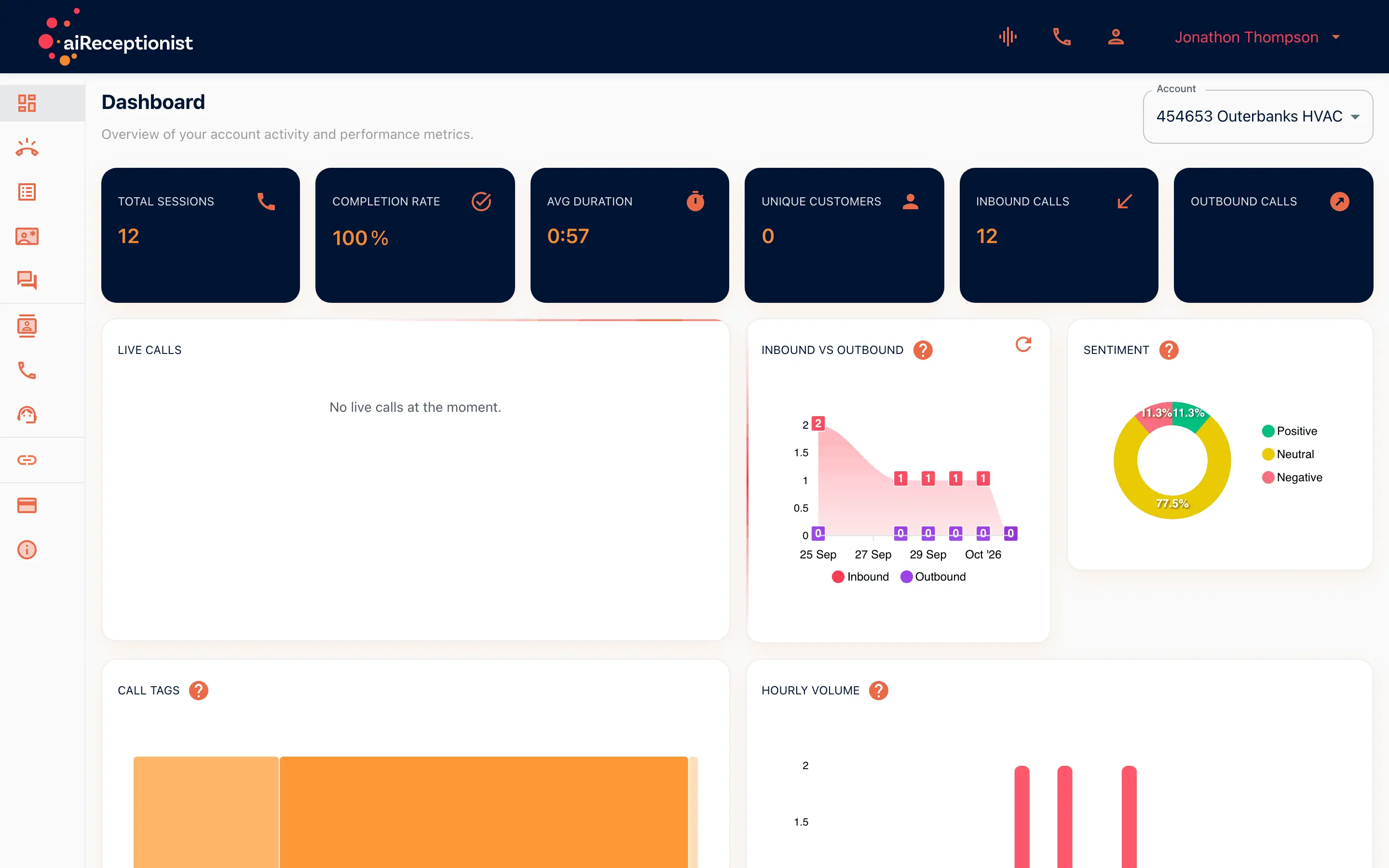
Sentiment is one of the dashboard charts, next to inbound vs outbound, call tags and hourly volume.
In the portal
Dashboard
The dashboard for Outerbanks HVAC charts sentiment alongside inbound vs outbound calls, call tags and hourly volume.
Call sentiment for owners and managers
The owner choosing who to call first
Three callbacks, one of them unhappy. The tag says which.
The manager watching the week
A dip in sentiment on Thursday afternoons is worth a look at Thursday’s calls.
Goes with
Status read from the same capability matrix as the pricing page.
- Customer memory
- Recognizes a returning caller and carries what they called about into the live call. Call reasons by tag and call-back recommendations in the portal.
- Available · All plans
- Transcript in the portal
- The written record of every call, kept in the portal to read, search and download.
- Available · All plans
- Per-call feedback
- Mark up a call to tell the receptionist what it should have done.
- On the roadmap
Defined in the glossary
Questions
- Is sentiment ever wrong?
- Yes. It is a read of tone, not a fact. Use it to decide which transcript to open first.
- Does the caller see the tag?
- No. The tag is for you, in the portal.
- Can I filter calls by sentiment?
- The dashboard charts sentiment across calls. Each call carries its own tag in Messages.
- Do I have to turn sentiment on?
- Yes. Sentiment and highlights is a processing switch on the workflow. Call summary, detect unanswered questions and extract structured data sit beside it.
See AI in action for your business
Start a free trial and set it up in the portal today, or talk to the team first.